Carbonless forms create instant duplicate or triplicate copies without messy carbon paper. When you write on the top sheet, the pressure transfers your writing to the sheets below through a special chemical coating on each page. These forms are also called NCR forms, short for No Carbon Required. You see them everywhere in business. Invoices, receipts, work orders, delivery notes, service tickets, estimate forms. They give you and your customer a copy of the same transaction at the same time. No scanning, no photocopying, no waiting. Just write once and everyone gets their copy.
This guide covers everything you need to know about carbonless forms printing in Canada. You’ll learn why these forms still matter for Canadian businesses in 2026, how to choose and design forms that work for your specific needs, what types exist and when to use each one, what you can expect to pay based on quantity and options, and how to decide between online printers and local shops. By the end, you’ll know exactly how to order professional carbonless forms that fit your business requirements and budget.
Why carbonless forms still matter for Canadian businesses
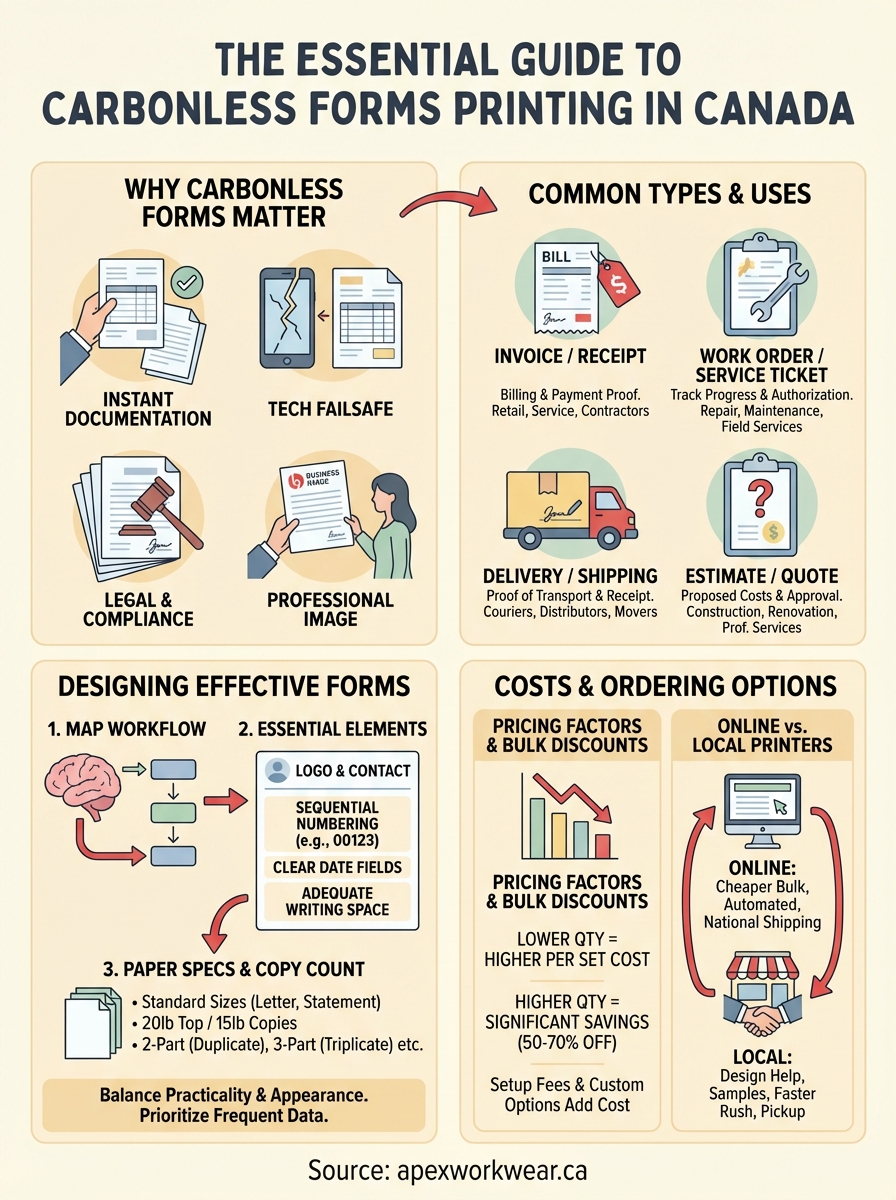
Digital tools dominate business operations today, but carbonless forms remain essential for specific situations where instant physical documentation matters most. You hand a customer their copy the moment you complete the transaction. No printer required, no email needed, no app to download. The immediate exchange creates trust and eliminates follow-up requests for receipts or proof of service. Canadian contractors, delivery drivers, repair technicians, and field service teams rely on this simplicity every single day.

Instant documentation without technology
Your phone dies, the internet drops, or the payment terminal stops working. Carbonless forms keep your business running when technology fails. You fill out the form, tear off the customer’s copy, and move to your next job. No waiting, no technical troubleshooting, no lost sales. Field workers especially value this backup documentation method because job sites rarely offer reliable power or connectivity. Carbonless forms printing gives you a failsafe that pure digital systems cannot match.
Traditional carbonless forms provide the reliability your business needs when modern technology lets you down.
Legal compliance and record keeping
Many Canadian industries require physical documentation for compliance, audits, or legal protection. Insurance claims, vehicle inspections, equipment maintenance, property assessments, and healthcare services often demand paper trails with original signatures. Carbonless forms create simultaneous records that you file chronologically while your customer keeps their copy. Tax authorities and regulatory bodies still accept and sometimes prefer paper documentation because it resists tampering better than digital files.
Customer trust and professional image
Handing someone a professional printed form with your logo and contact details builds credibility instantly. Your customer sees an established business that invests in proper documentation. Generic receipts from a phone app look temporary and forgettable. Custom carbonless forms show permanence and attention to detail. Older customers particularly appreciate physical receipts they can touch and file. You also eliminate the "I never got your email" problem that plagues digital-only businesses.
How to choose and design effective carbonless forms
Designing carbonless forms requires you to balance practical functionality with professional appearance. Your forms need clear fields that guide handwriting, enough space for the information you collect most often, and a layout that matches your actual workflow. Poor design creates confusion, wasted time, and unprofessional impressions. Smart design makes transactions faster, reduces errors, and reinforces your brand every time someone receives a copy. The choices you make about size, layout, paper weight, and copy count directly affect how well your forms serve your business needs.
Start with your workflow requirements
Map your actual transaction process before you design anything. Walk through a typical customer interaction from start to finish. What information do you collect first? What details matter most for your records versus what your customer needs? Do technicians fill out forms in vehicles, at job sites, or in weather conditions? Your workflow reality determines your form design. Field workers need larger writing areas and fewer tiny boxes. Counter staff can handle denser layouts with more fields. Forms that ignore how you actually work become frustrating obstacles instead of helpful tools.
Document the specific information your business captures repeatedly. Customer name, address, phone number, date, service description, materials used, labour hours, parts numbers, payment method, authorization signature. List everything. Then prioritize by frequency and importance. Information you collect on every transaction deserves prominent placement and generous space. Occasional details can occupy smaller areas. This priority mapping prevents cramming too much onto one form while ensuring critical information never gets overlooked.
Essential form elements and layout
Your company logo and contact information belong at the top where they remain visible even when the form sits in a file folder. Include your business name, phone number, website, and physical address. This header turns every form into a branded marketing piece that customers keep and reference later. Skip decorative elements that waste space or complicate printing. Clean, professional typography works better than elaborate designs.
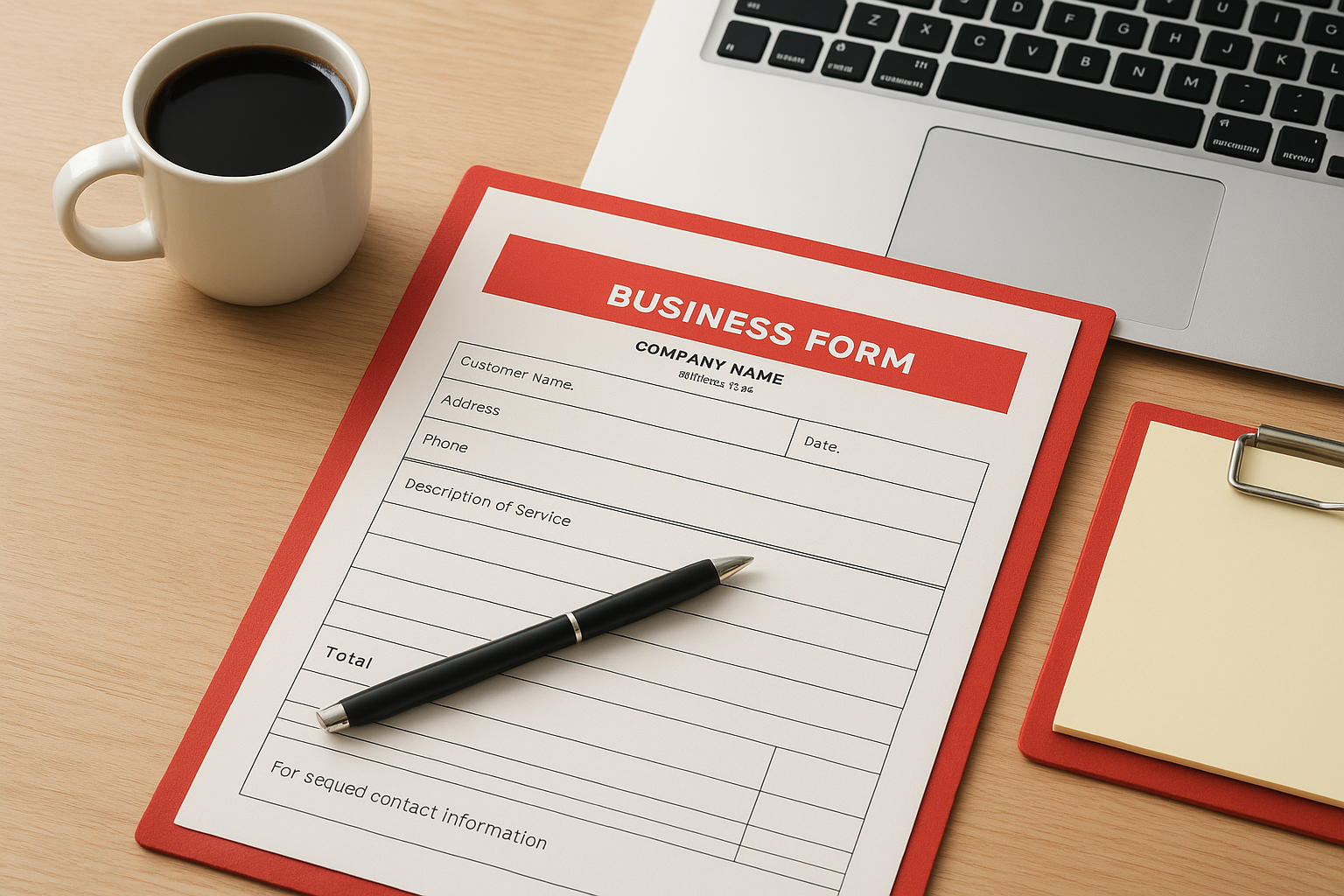
Sequential numbering gives you audit trails and helps track missing forms. Pre-printed numbers on each set let you match copies, investigate discrepancies, and maintain organized records. Position numbers prominently in a top corner. Date fields need obvious placement because they establish when transactions occurred. Legal disputes, warranty claims, and accounting all depend on accurate dates.
Well-designed carbonless forms printing creates professional documents that serve both operational efficiency and brand representation.
Writing areas require adequate height for actual handwriting, not theoretical minimum space. Test your draft layout by hand-writing typical information in each field. Cramped spaces produce illegible copies because the pressure transfer needs clear, firm writing. Leave margins of at least 1.5 cm around edges to prevent information loss during handling and filing.
Paper specifications and copy count
Standard letter size (8.5" × 11") fits existing filing systems and costs less than custom dimensions. You can also choose statement size (5.5" × 8.5") for compact jobs or legal size (8.5" × 14") when you need extra length. Custom sizes increase costs and create storage headaches. Most carbonless forms printing uses 20 lb paper weight for the top sheet and 15 lb for copies, providing durability without excessive bulk.
Determine your actual copy needs before ordering. Two-part forms (duplicate) give you one copy for records and one for customers. Three-part forms (triplicate) suit situations where you need office records, customer copies, and field technician logs. Four-part and five-part forms exist but add thickness that makes writing difficult. Each additional copy reduces legibility because pressure transfer weakens through multiple layers. Most Canadian businesses find two or three parts sufficient for their documentation needs.
Types of carbonless forms and best uses for each
Carbonless forms printing creates specialized documents for different business transactions. Each form type serves specific purposes based on the information you collect, when you collect it, and who needs copies. Understanding which form matches your business activity helps you order the right product and avoid paying for features you never use. The wrong form type creates confusion, wastes space with unnecessary fields, or lacks critical areas for information you capture daily. Matching form type to actual business needs improves efficiency and professionalism.
Invoice and receipt forms
Invoice forms document transactions where you bill customers for goods or services. They include detailed line items for products, quantities, unit prices, subtotals, taxes, and total amounts due. You issue invoices before receiving payment, so they typically include payment terms, due dates, and accepted payment methods. Receipt forms prove payment already occurred. They show what the customer paid, how they paid, transaction dates, and remaining balances if applicable. Retail shops, service providers, contractors, and restaurants use these forms most frequently because every transaction needs documentation.
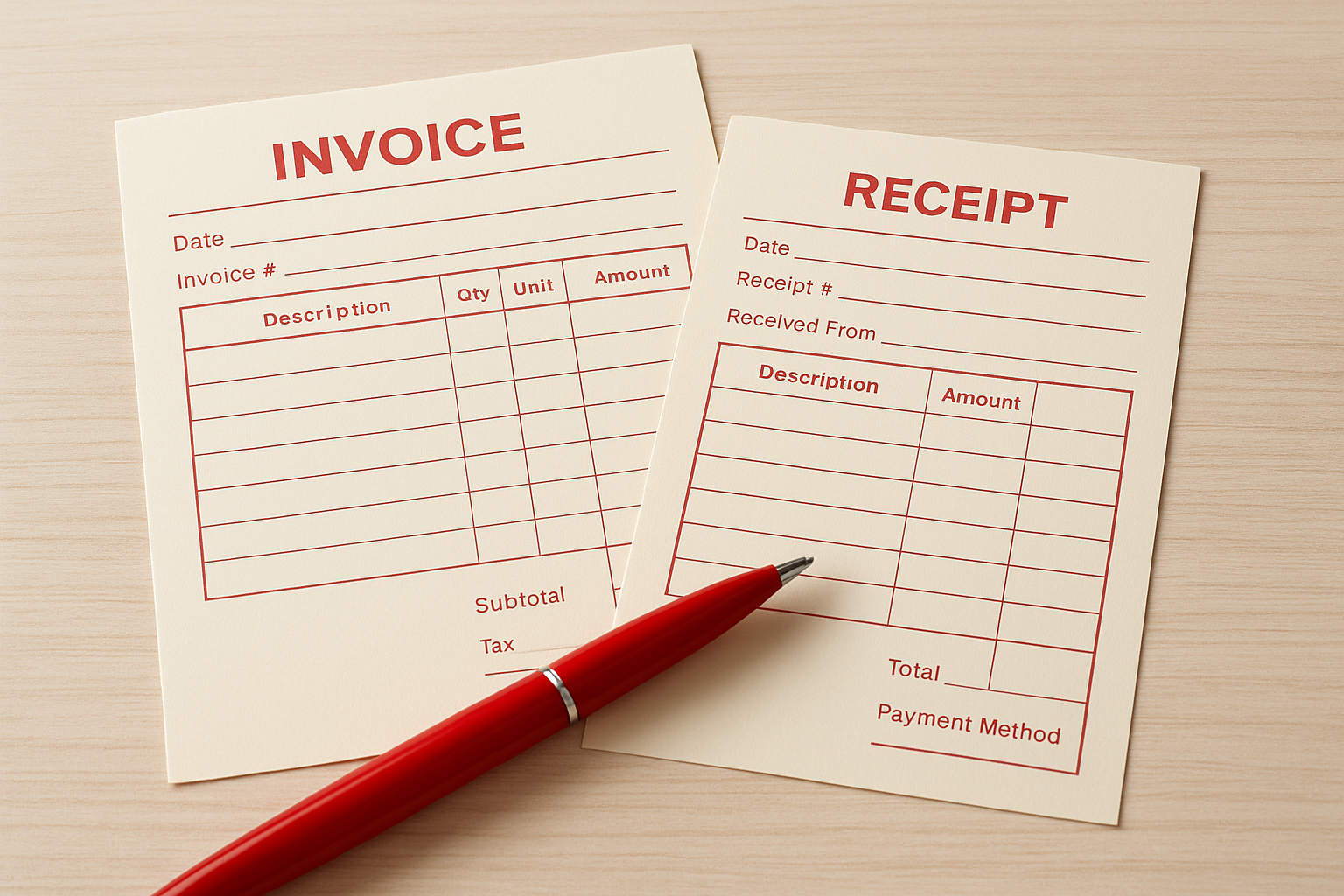
Two-part invoice sets work well when you need one copy for accounts receivable and one for the customer. Three-part sets suit businesses where field staff, office accounting, and customers all need copies. Receipt books with sequential numbering help small businesses track cash transactions and prevent disputes about payment status.
Work orders and service tickets
Service tickets document work performed at customer locations or in repair shops. They capture problem descriptions, diagnostic notes, parts used, labour hours, technician names, and completion status. HVAC technicians, appliance repair companies, automotive shops, and maintenance contractors rely on these forms to track job progress from initial call through final completion. Work orders also serve as authorization forms where customers sign approval before you begin expensive repairs.
Service tickets create accountability between your business and customers by documenting exactly what work was authorized and completed.
Three-part forms suit service operations because technicians keep one copy, customers receive one, and your office files the third for billing and records. Pre-printed fields for common services speed up form completion while blank areas accommodate unique situations.
Delivery and shipping forms
Delivery forms prove you transported goods to customers and received acknowledgment. They list items delivered, quantities, condition notes, delivery addresses, recipient signatures, and delivery dates. Courier companies, wholesale distributors, furniture movers, and food suppliers use these forms to protect against claims of non-delivery or damaged goods. Signatures on delivery forms establish legal proof that transactions occurred as described.
Two-part delivery sets give drivers one copy for their records while recipients keep signed copies. Delivery forms need large signature areas because recipients often sign while standing or holding packages. Date and time fields matter critically for proving delivery deadlines were met.
Estimate and quote forms
Estimate forms provide potential customers with projected costs before work begins. They outline proposed services, materials, labour estimates, applicable taxes, and total expected charges. Contractors, repair services, renovation companies, and professional services use estimates to win customer approval before investing time in projects. Quote forms serve similar purposes but typically represent firmer pricing commitments than preliminary estimates.
Two-part estimate sets let you keep records of every quote you provide while customers retain copies for comparison shopping. Estimates need clear expiration dates because material costs and labour rates change. Itemized breakdowns help customers understand pricing and justify your rates compared to competitors.
Costs, quantities and turnaround times across Canada
Carbonless forms printing costs vary significantly based on your specifications, order quantity, and location within Canada. Understanding pricing structures helps you budget accurately and avoid surprise expenses. Production times depend on form complexity, printer workload, and shipping distances. Most Canadian printers quote prices per set (one complete form with all copies attached), not per individual sheet. You pay more per set for small orders but unlock substantial savings when you order larger quantities. Rush fees, custom sizes, and additional colours increase your final price.
Pricing factors and typical costs
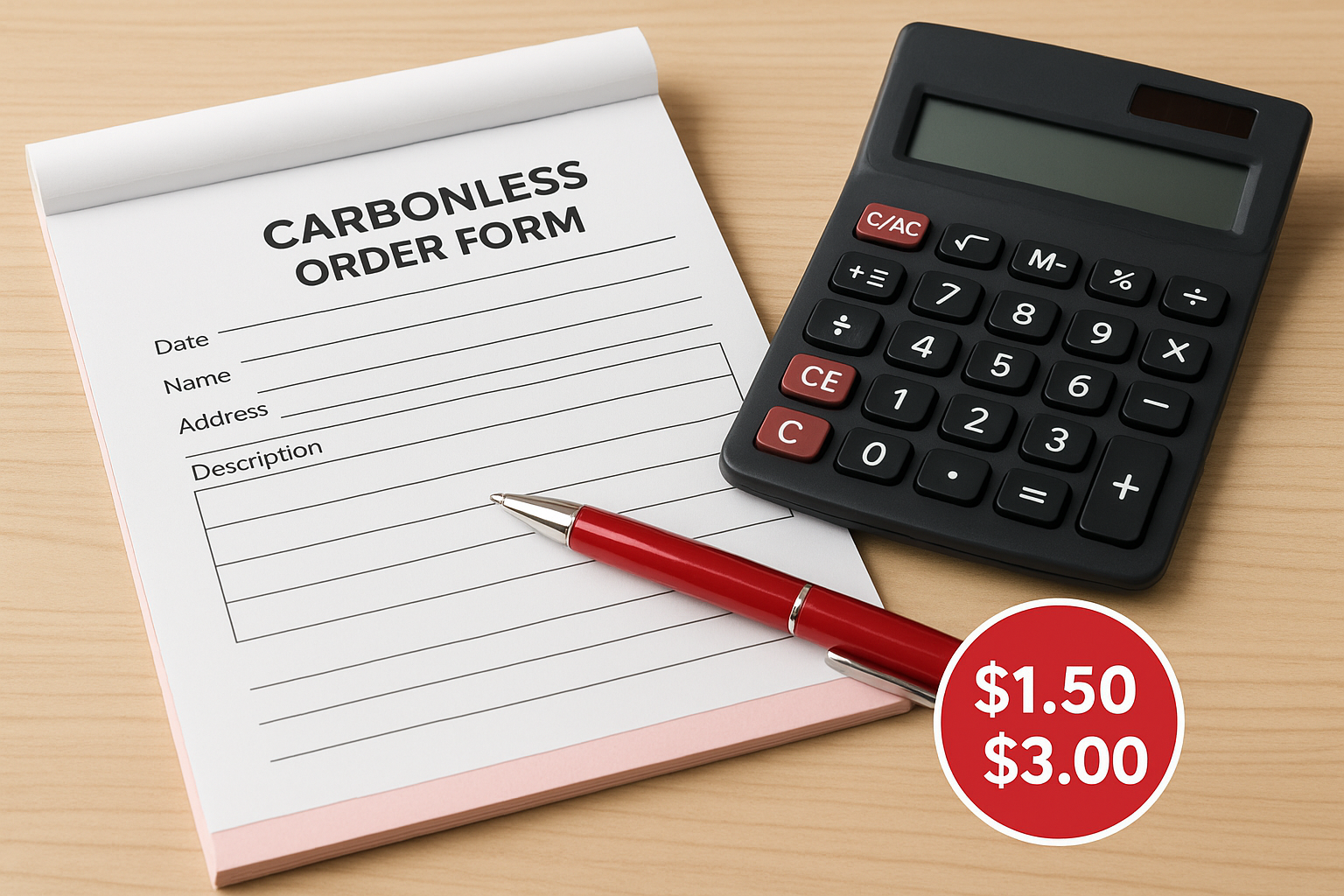
Small quantity orders (50 to 100 sets) typically cost $1.50 to $3.00 per set for standard two-part forms in black ink on letter-size paper. Three-part forms add roughly $0.50 to $1.00 per set. Custom design work may cost $50 to $150 if you need professional layout assistance beyond basic setup. Four-colour printing increases costs by 30% to 50% compared to single-colour printing because it requires additional press passes.
Custom sizes, heavyweight paper, perforation placement, hole drilling, padding into books, or wraparound covers all add incremental charges. Numbering sequences, multiple ink colours on different form parts, and specialized coatings affect pricing as well. Most printers charge setup fees of $25 to $75 that apply once per design regardless of quantity ordered. These fixed setup costs make larger orders more economical per unit.
Quantity breaks and bulk discounts
Canadian printers reward volume orders with tiered pricing structures that reduce your per-set cost substantially. Ordering 500 sets might drop your cost to $0.80 to $1.50 per set, while 1,000 sets could fall to $0.50 to $1.00 per set. Orders of 2,500 or 5,000 sets often reach $0.30 to $0.60 per set. You save 50% to 70% by ordering larger quantities because setup costs and production efficiency improve.
Bulk orders deliver the best value in carbonless forms printing, often cutting per-set costs in half compared to small quantities.
Calculate your annual usage before ordering to take advantage of volume pricing without over-ordering forms that become outdated. Businesses that use 20 forms weekly should order at least 1,000 sets (roughly one year’s supply) to maximize savings. Forms with evergreen designs like basic invoices or receipts stay relevant longer than forms containing dated pricing or seasonal promotions.
Production timelines and rush options
Standard production takes five to seven business days for most carbonless forms printing across Canada, plus shipping time to your location. Complex designs requiring multiple press runs or special finishing may need eight to ten business days. Rush production costs 25% to 50% extra but delivers finished forms in two to three business days. Same-day or next-day service exists for extreme urgencies but commands premium pricing of 100% or more above standard rates.
Shipping within Canada adds one to five business days depending on your province and the printer’s location. GTA businesses benefit from local pickup or same-day delivery options that eliminate shipping delays entirely. Western provinces like British Columbia and Alberta typically receive shipments within three business days from Ontario or Quebec printers. Atlantic provinces may wait four to five business days. Budget at least two weeks from order placement to delivery for standard production and cross-country shipping.
Online versus local carbonless form printers in Canada
Choosing between online carbonless forms printing services and local print shops affects your costs, turnaround times, and support experience. Online printers typically offer lower prices through volume production and automated ordering systems. Local printers provide face-to-face consultation, faster turnaround for rush jobs, and the ability to inspect samples before committing to large orders. Your decision depends on whether you prioritize price savings or hands-on service.
Pricing and delivery considerations
National online printers beat local shops on price for standard designs and larger quantities because they centralize production and purchase materials in bulk. You upload your design, select specifications, and receive forms by courier within one week. Local printers charge higher per-unit costs but eliminate shipping fees if you pick up orders yourself. GTA businesses especially benefit from same-day or next-day local delivery options that online services cannot match for urgent needs.
Service and customization differences
Local print shops excel when you need design assistance, custom solutions, or want to review physical samples before ordering thousands of forms. Staff answer questions immediately and adjust designs on the spot. Online printers rely on email communication that creates delays when you have questions or need revisions. Choose local services for your first carbonless forms printing order or complex custom projects. Switch to online providers once you finalize designs and order the same forms repeatedly.
Ready to print your carbonless forms
You now understand how carbonless forms printing works, which types suit your business, and what you should expect to pay. Professional forms create instant documentation that builds customer trust and keeps your operations running when technology fails. Start by defining your workflow requirements, choose the right form type for your transactions, and order quantities that balance bulk pricing with your actual usage. Get your custom carbonless forms printed through a Canadian provider that offers fast turnaround, competitive pricing, and expert design support for your business documentation needs.