Brochure sizes in Canada refer to the physical dimensions you need when designing and printing folded marketing materials. Most Canadian printers use standard paper sizes like 8.5" × 11" (letter), which fold into tri-fold or bi-fold formats. Your design software needs exact measurements (including bleeds and margins) to match your printer’s equipment, or you’ll end up with crops, shifts, and wasted money on reprints.
This guide walks you through the exact dimensions for Canadian brochure printing, including tri-fold and bi-fold panel breakdowns in both inches and centimetres. You’ll learn which sizes work best for different marketing goals, how to set up your files with proper bleeds and safe zones, and what specs Canadian print shops actually need. Whether you’re ordering 50 brochures or 5,000, these measurements will save you headaches at press time.
Why brochure sizes matter in Canada
You lose money and time when your brochure dimensions don’t match Canadian print standards. Printers across Canada use specific equipment calibrated for letter-size (8.5" × 11") paper, and submitting files in odd sizes forces manual adjustments that slow production and increase costs. Your design might look perfect on screen, but if the dimensions don’t align with standard folding machines and cutting equipment, you’ll face delays, reprints, or worse, brochures that look amateur.
Cost and waste from wrong dimensions
Choosing non-standard dimensions means your printer cuts custom sheets, which wastes paper and drives up your per-unit cost. Canadian print shops price their services around efficient use of standard paper rolls and sheet sizes. When you order a 7" × 10" brochure instead of a standard size, the shop needs to trim larger stock, throwing away usable paper. Those costs get passed directly to you, sometimes doubling the price per brochure compared to standard options.
Standard sizes reduce waste and keep your printing budget predictable.
Equipment compatibility across Canada
Canadian printers invest in folding and cutting machines built for specific dimensions. Most shops run Heidelberg, Duplo, or similar equipment that expects 8.5" × 11", 8.5" × 14", or 11" × 17" sheets. Submitting files in these exact sizes means your job runs smoothly through automated production lines. Files with incorrect brochure sizes Canada printers receive often require manual intervention, adding hours or days to turnaround times. Your proof might look fine, but if the file dimensions don’t match the press setup, your project sits in a queue while staff adjust settings or wait for the right paper stock.
How to choose the right brochure size
Your brochure dimensions depend on three core factors: how much information you need to convey, where you’ll distribute the materials, and your budget. A single-page flyer works fine for announcing a sale, but a comprehensive service guide needs multiple panels that fold. You waste money printing an oversized brochure when a compact version delivers your message just as effectively, and you lose potential customers when cramped text makes your content unreadable.
Consider your content volume
Count your text blocks, images, and calls to action before choosing dimensions. A tri-fold 8.5" × 11" brochure gives you six panels (three per side), which handles product catalogs, service breakdowns, or event schedules comfortably. Bi-fold formats offer four panels, suitable for simpler messages like welcome packets or thank-you inserts. Your content dictates the format, not the other way around. Forcing too much text into a small brochure creates readability problems and makes your brand look desperate or unprofessional.
Calculate roughly 150-200 words per panel as a comfortable density that includes white space and visual elements. A 600-word service description fits naturally on a tri-fold, while a 1,200-word guide needs either a larger format (11" × 17" tri-fold) or a multi-page booklet instead of a brochure.
Match distribution method to dimensions
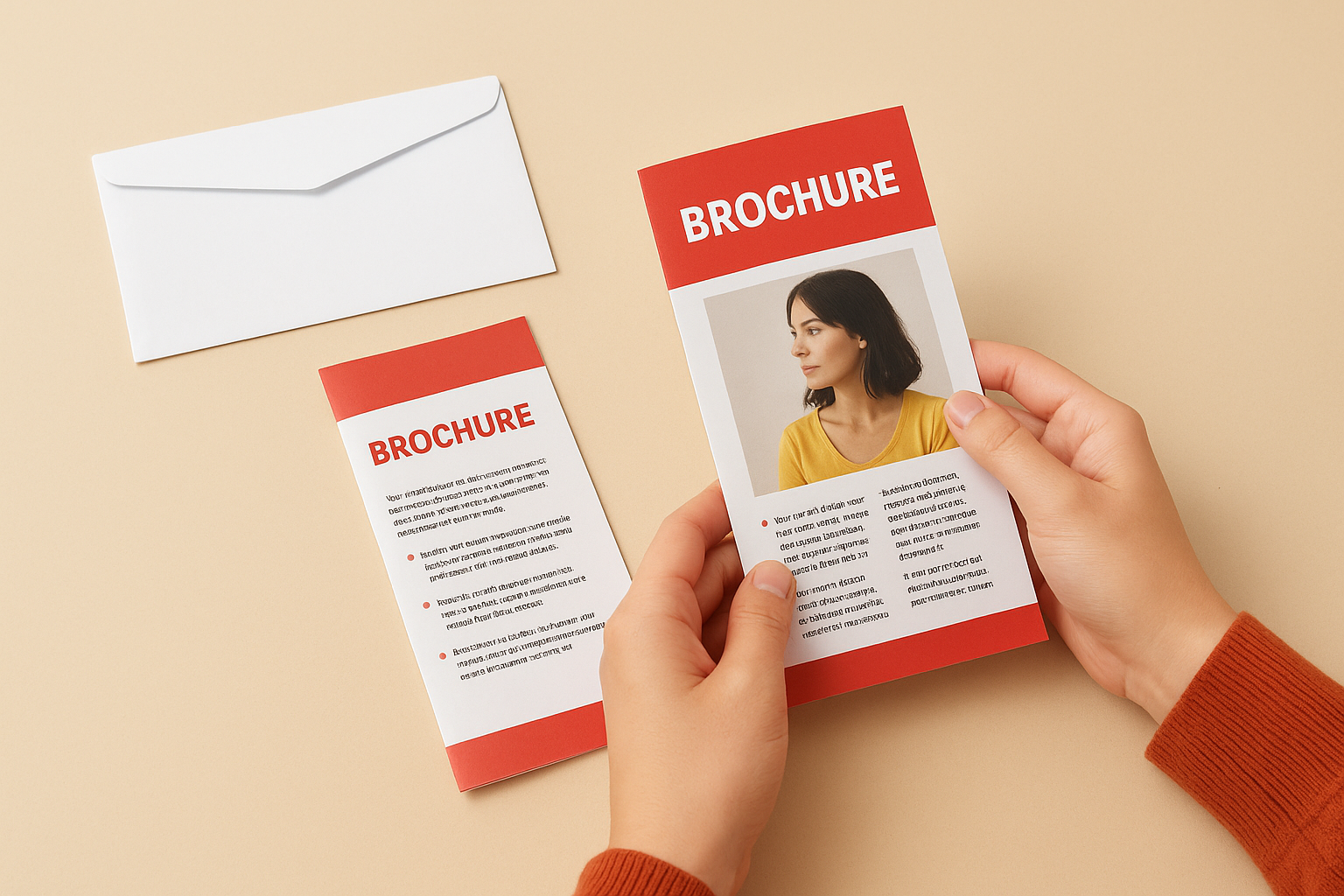
Your distribution plan determines which brochure sizes Canada printers should produce for you. Standard #10 envelopes (4.125" × 9.5") fit tri-fold 8.5" × 11" brochures perfectly, making them ideal for direct mail campaigns. If you’re handing out materials at trade shows, a compact 5.5" × 8.5" bi-fold slips easily into tote bags and briefcases without folding or damage.
Choose dimensions that match how people will receive and carry your brochure.
Door hangers and counter displays need different considerations. An 8.5" × 14" tri-fold works well for retail counters where customers browse standing up, while smaller formats suit magazine inserts or newspaper stuffers.
Budget and quantity trade-offs
Larger dimensions cost more because they use more paper and ink per unit. An 11" × 17" brochure doubles your paper consumption compared to 8.5" × 11", which might blow your budget if you’re ordering 5,000 copies. Standard sizes also run through printing equipment faster, reducing labour costs that get passed to you. Calculate your cost per impression (total spend divided by expected reach) rather than obsessing over per-unit price. Sometimes a smaller, cheaper brochure distributed to more people delivers better results than a premium large-format piece with limited circulation.
Standard brochure sizes in Canada
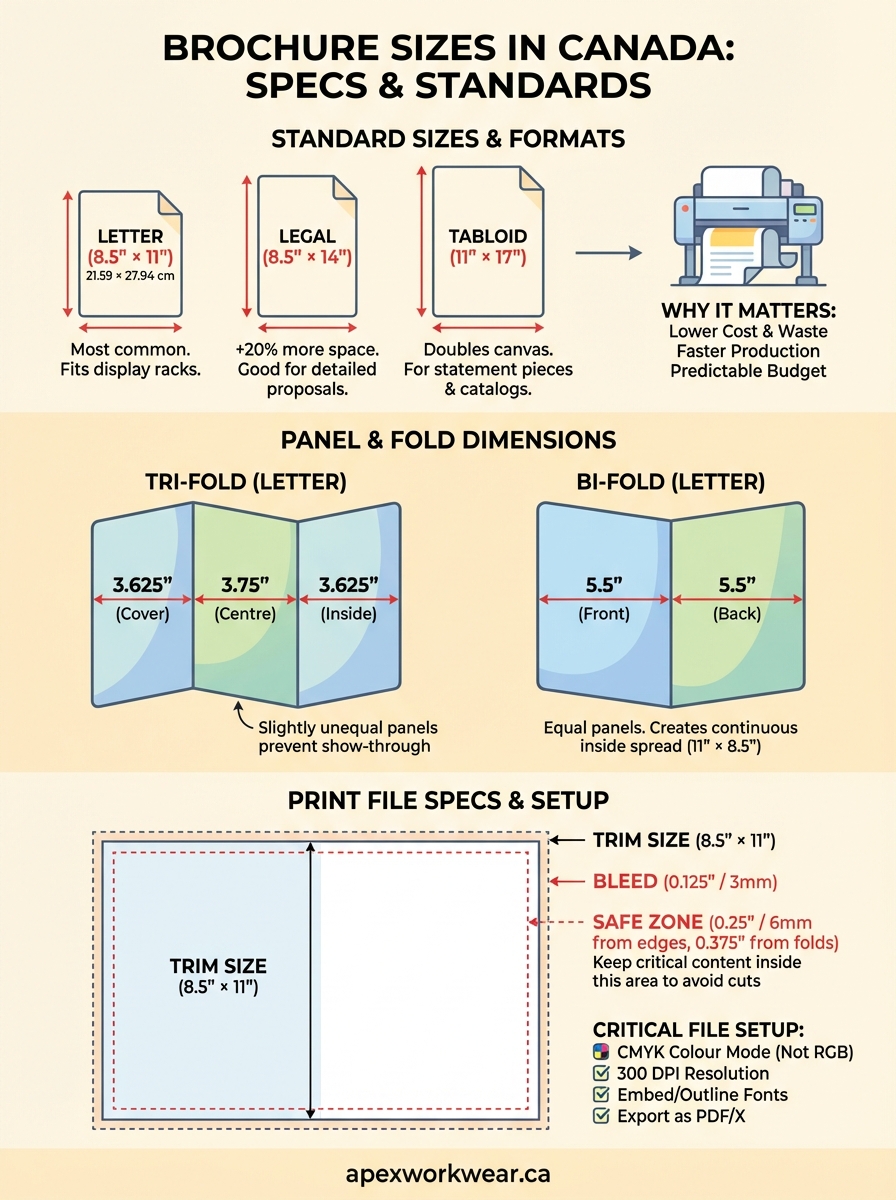
Canadian printers work with three primary paper dimensions that accommodate 90% of brochure projects: 8.5" × 11" (letter), 8.5" × 14" (legal), and 11" × 17" (tabloid). These measurements match North American standard paper stock that print shops keep in inventory year-round, which means faster turnaround and lower costs for your project. Your printer’s folding equipment calibrates specifically for these dimensions, and deviating from them triggers custom setup fees that can add $50-$200 to small print runs.
Letter size: 8.5" × 11" (21.59 cm × 27.94 cm)
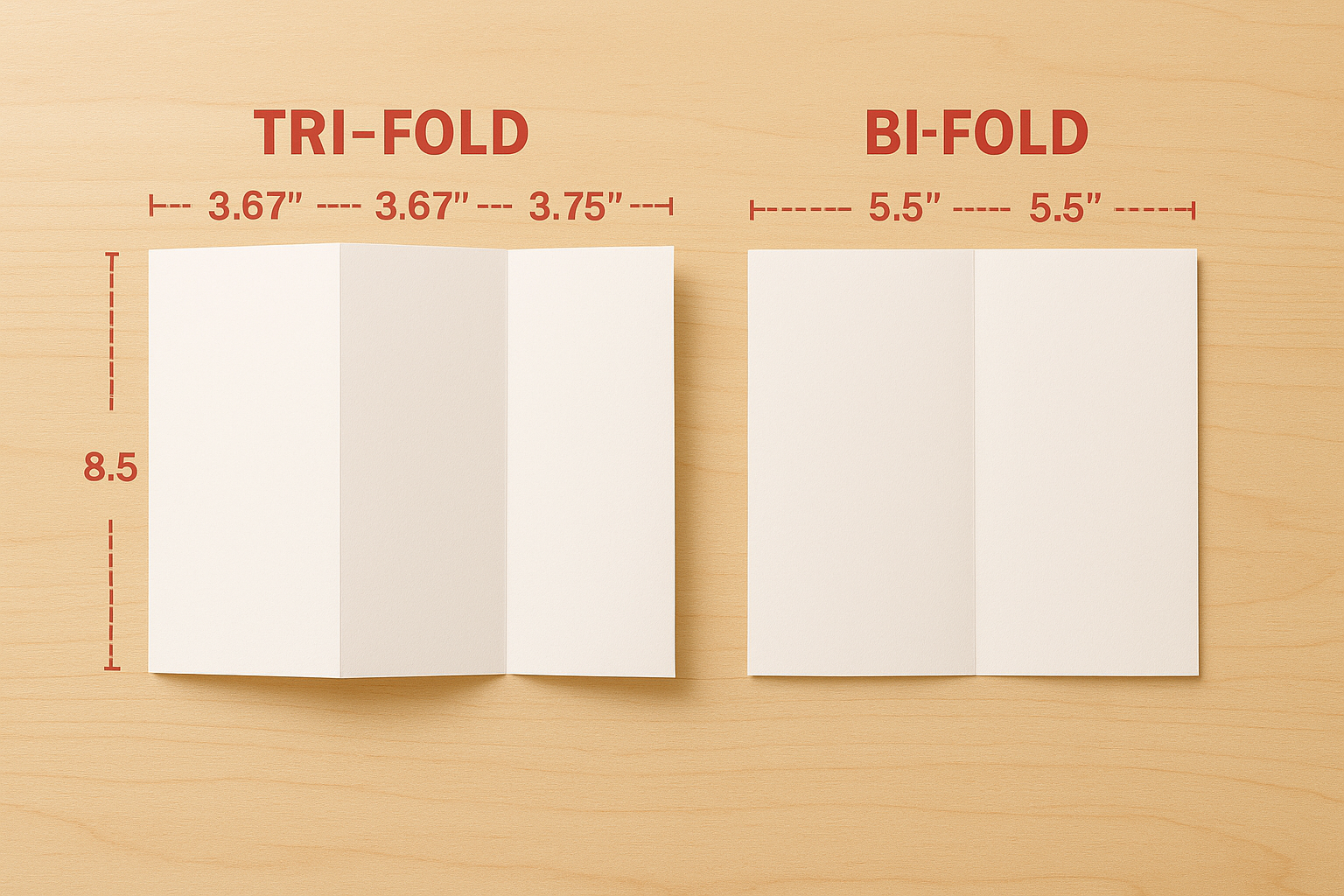
This standard letter dimension represents the most economical choice for brochure sizes Canada printers recommend. You create a tri-fold by dividing the 11" width into three panels of roughly 3.67" each, or a bi-fold that splits into two 5.5" panels. Letter-size stock runs through automated folding machines without adjustment, and most Canadian businesses already use this size for letterhead and internal documents, creating visual consistency across your branded materials.
Retail shops, service businesses, and event promoters order letter-size brochures because they fit standard display racks at visitor centres, libraries, and community boards. Your brochure sits alongside competitors in identical dimensions, so your design and messaging become the differentiators rather than an awkward size that doesn’t fit the rack.
Letter-size brochures balance content space with portability for most marketing needs.
Legal and tabloid formats
Legal-size sheets (8.5" × 14") add 3" of vertical space, giving you approximately 20% more content area than letter dimensions. You use this format when your service breakdown, pricing table, or product specifications need extra room but you want to maintain the narrow 8.5" width that fits envelopes and folders. Real estate agents, contractors, and professional services firms order legal tri-folds for detailed proposals that still mail easily.
Tabloid format (11" × 17") doubles your canvas and creates a statement piece that stands out at trade shows or in presentation folders. When folded as a bi-fold, tabloid brochures create four generous 8.5" × 11" panels that showcase photography, infographics, or technical diagrams without cramping. Event programs, restaurant menus, and high-end product catalogs use this size, though you pay roughly 40% more per unit than letter-size equivalents due to increased paper and ink consumption.
Specialty and custom dimensions
Half-letter size (5.5" × 8.5") fits jacket pockets and small envelopes, making it practical for concert programs, loyalty card inserts, or quick-reference guides. Canadian printers produce this dimension by cutting letter stock in half, so you still benefit from efficient paper usage. Some shops also stock 9" × 12" sheets for oversized brochures that need impact without reaching tabloid scale.
Custom dimensions like 6" × 9" or 7" × 10" require your printer to order special stock or trim standard sheets, adding 1-3 business days to production time and increasing per-unit costs by 15-30%. You justify custom sizes only when your distribution method demands it (fitting a specific display unit or packaging insert) or when brand differentiation outweighs the cost premium. Most projects achieve better results by optimizing design within standard brochure sizes Canada printers stock daily.
Tri fold and bi fold panel dimensions
Your brochure design software needs exact panel measurements, not just the overall sheet size. Canadian printers fold brochures with precision scoring equipment that divides your flat sheet into equal or near-equal sections, and your design elements must align with those fold lines. A tri-fold 8.5" × 11" brochure doesn’t simply divide into three perfect 3.67" panels because folding mechanics require slight adjustments to prevent edge show-through. Your inside panels need fractional differences that account for paper thickness and the physical act of folding.
Tri fold panel specifications
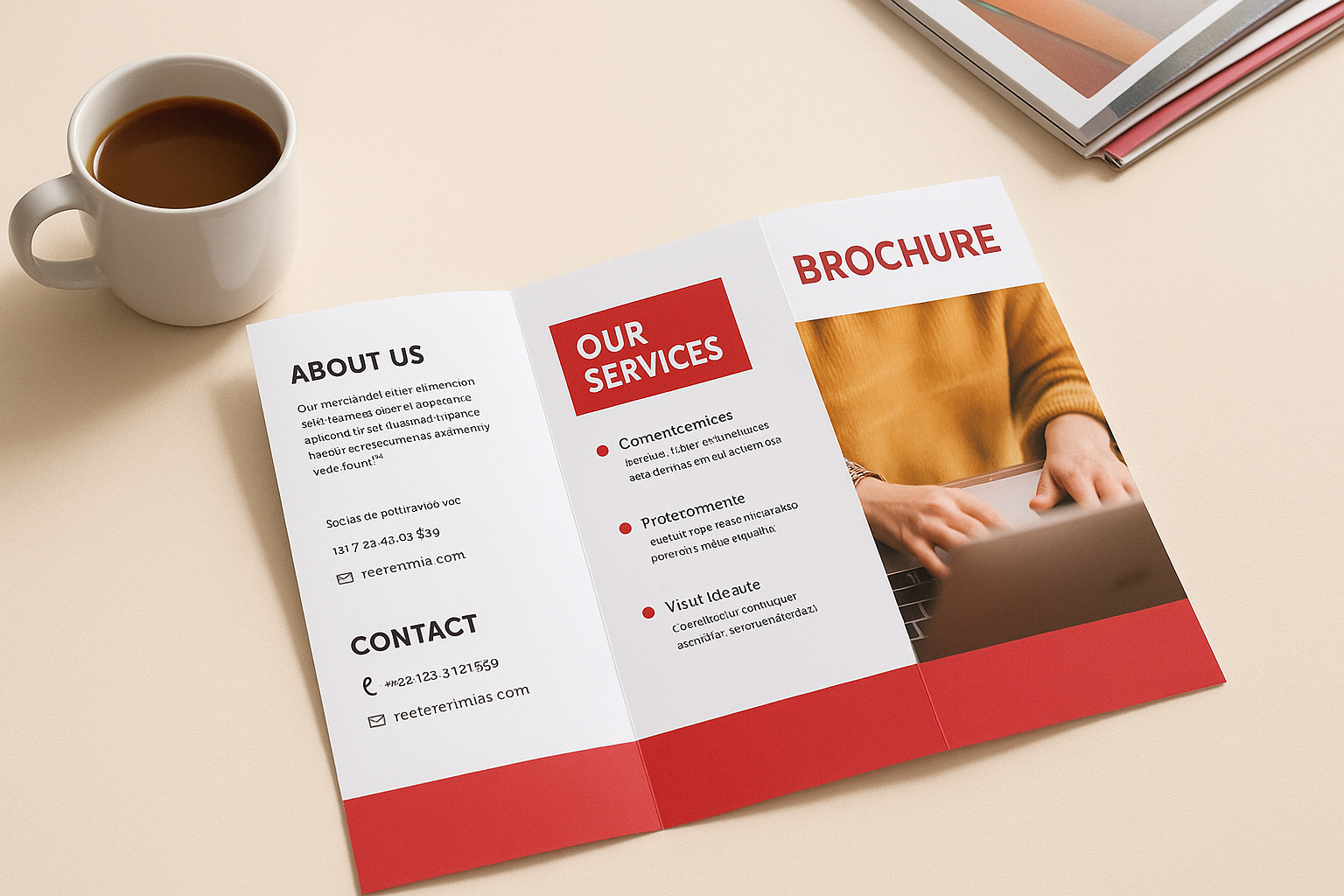
Letter-size tri-folds (8.5" × 11") create six usable panels when you fold the sheet twice. The standard panel breakdown measures 3.625" (cover), 3.75" (inside left), and 3.625" (inside right) across the 11" width. This asymmetric layout prevents the right panel from sticking out when folded, a problem you’d face with three identical 3.67" panels. Your cover panel (the rightmost section when the sheet lies flat) needs to be slightly narrower than the center panel so it tucks cleanly inside.
Legal-size tri-folds (8.5" × 14") follow the same principle with 4.625", 4.75", and 4.625" panel widths, giving you roughly 1" more content space per panel than letter format. Tabloid tri-folds (11" × 17") divide the 17" width into panels of approximately 5.625", 5.75", and 5.625", creating substantial real estate for photography, diagrams, or detailed product comparisons. You account for the 0.125" difference in your design by placing important content away from fold lines, which we’ll cover in the next section.
Asymmetric panel widths ensure your tri-fold brochure closes cleanly without edges protruding.
Bi fold panel measurements
Bi-fold brochures split your sheet into four equal panels (two per side) with simpler measurements than tri-folds. Letter-size bi-folds (8.5" × 11") create two 5.5" × 8.5" panels on each side. Your cover occupies the right half of the front, and when someone opens the brochure, they see a continuous 11" × 8.5" spread across the inside. This format works well when you want a single impactful image or message that spans both inside panels without interruption.
Tabloid bi-folds (11" × 17") produce four 8.5" × 11" panels, essentially giving you four letter-size pages connected by a single fold. Trade show materials, restaurant menus, and presentation folders use this dimension because each panel matches standard document sizes your audience already expects. Legal bi-folds (8.5" × 14") create two 7" × 8.5" panels, a less common format that suits narrow display racks or specific envelope sizes.
Scoring and folding precision
Canadian printers use mechanical scoring (indenting the fold line) before folding thicker paper stocks (80 lb cover and above) to prevent cracking. Your panel dimensions remain constant, but the scoring process creates a slight ridge you feel when running your finger along the fold. Lighter paper (60 lb or 70 lb text) folds without scoring, though folding accuracy drops slightly on high-speed equipment. Most shops guarantee folds within ±1/16" of specified panel dimensions, which means you must keep critical text and logos at least 1/4" from fold lines to avoid unexpected cuts or shifts. Understanding these tolerances helps you set up files that match how brochure sizes canada printers actually process your job on press.
Bleeds, margins and print safe zones
Your printer needs extra space around your brochure design to account for cutting variations and folding mechanics. Every commercial press in Canada cuts printed sheets slightly differently, with tolerances of ±1/16" (1.5 mm) from the intended edge. Without proper bleeds and margins, your design elements can get chopped off, white slivers appear along edges, or important text gets lost in the fold. Professional printers across Canada follow the same technical standards, and your files must match those specifications or you’ll face rejected proofs and production delays.
Understanding bleed requirements
Bleeds represent the design area that extends beyond your final trim size. Canadian printers typically require 0.125" (3 mm) of bleed on all sides of your brochure. When you set up an 8.5" × 11" brochure file, your actual canvas measures 8.75" × 11.25" (8.5 + 0.25 for both sides, 11 + 0.25 for top and bottom). You extend background colours, images, and design elements into this bleed zone so the cutting blade has room for natural variation without exposing white paper edges.
Your design software displays the trim line (the intended finished edge) and the bleed line (where your artwork must extend). Background images and colour blocks run past the trim line to the bleed line, while text and logos stay well inside the trim line. Missing bleeds create the most common rejection issue for brochure sizes Canada printers encounter, forcing you to rebuild files and restart production.
Extend all background elements 0.125" beyond your finished dimensions to prevent white edges.
Safe zone measurements
The safe zone (also called the live area) represents where you place all critical content that must remain visible after cutting and folding. Standard safe zones measure 0.25" (6 mm) inside all edges and 0.375" (9.5 mm) away from fold lines. Your company logo, contact information, headlines, and body text stay within these boundaries. Elements placed outside the safe zone risk getting trimmed off during cutting or disappearing into the fold crease where they become unreadable.
Calculate safe zones from your trim dimensions, not your bleed dimensions. An 8.5" × 11" tri-fold brochure with 0.25" safe zones gives you a usable content area of 8" × 10.5" for each full side. Near fold lines, you need extra clearance because paper thickness causes slight shifts when folded, particularly on heavier card stock.
File setup tips for Canadian printers
Your print files need specific technical settings before any Canadian printer accepts them for production. Submitting files with incorrect formats, colour modes, or resolution wastes hours in back-and-forth corrections and delays your delivery timeline. Most brochure sizes Canada printers reject files that don’t meet basic pre-flight standards, so you need to configure your design software correctly from the start rather than fixing problems after you’ve finished your design.
File format and colour mode standards
Canadian printers require PDF files with CMYK colour mode, not RGB. Your screen displays colours in RGB (red, green, blue), but commercial printing presses use CMYK (cyan, magenta, yellow, black) inks. Colours that look vibrant in RGB often shift duller when converted to CMYK at the print shop, creating unexpected results. You convert your files to CMYK in Adobe InDesign, Illustrator, or Photoshop before exporting the final PDF. Most shops accept PDF/X-1a or PDF/X-4 standards, which embed all fonts and images while flattening transparency that can cause printing errors.
Save your PDF with high-quality print settings (not screen or web settings) and include crop marks and bleed marks if your printer requests them. Some shops prefer files without marks because their equipment adds them automatically during production. Check your printer’s submission guidelines before export.
Export print-ready PDFs in CMYK colour mode with all fonts embedded and images at 300 DPI.
Resolution and image quality
Your images need 300 DPI (dots per inch) resolution at actual print size, not at the enlarged size in your original photo. A 2" × 3" image on your brochure requires a source file with minimum dimensions of 600 × 900 pixels (2 inches × 300 DPI by 3 inches × 300 DPI). Lower resolution creates visible pixelation and blurriness that makes your brochure look amateur. You check image resolution in your design software’s links panel, where it displays effective DPI after scaling.
Avoid enlarging small images beyond 110-120% of their original size, as this drops effective resolution below acceptable thresholds. Your printer cannot improve low-resolution images, and they’ll contact you for replacements that restart your production timeline.
Font and text specifications
You must embed or outline all fonts in your final PDF to prevent text substitution errors. When fonts aren’t embedded, the printer’s computer substitutes different typefaces that break your carefully planned layout. Design software offers a "collect for output" or "package" function that identifies missing fonts before export. Standard system fonts like Arial, Times New Roman, and Helvetica embed reliably, while custom or specialty fonts sometimes cause problems.
Convert text to outlines as a final backup, though this prevents last-minute text edits at the print shop. Your font size should never drop below 7 points for body text or readability suffers, particularly on coated papers where ink spreads slightly.
Next steps with your brochure
You now understand the exact measurements, bleeds, and file specifications that Canadian printers require for professional brochure production. Your choice between letter, legal, or tabloid dimensions depends on your content volume, distribution method, and budget constraints. Standard brochure sizes Canada printers stock daily (8.5" × 11", 8.5" × 14", and 11" × 17") deliver the fastest turnaround and lowest per-unit costs, while custom dimensions add time and expense that rarely improve marketing results.
Set up your files with proper bleeds (0.125"), safe zones (0.25" from edges), and 300 DPI images in CMYK colour mode before submitting to your print shop. These technical specifications prevent rejected proofs and production delays that cost you money and missed deadlines. Your brochure design represents your brand, so professional execution matters.
Ready to print your brochures? Apex Workwear produces high-quality brochures with expert file review, free design support, and fast turnaround for businesses across Canada. Get your free quote today.