A z fold brochure packs a lot of information into a compact, easy-to-hand-out format. Whether you’re promoting services at a trade show, leaving materials at a reception desk, or including product details in a mailer, this three-panel layout gives you room to tell your story without overwhelming the reader.
But before you hit print, you’ll want to understand your options. Paper weight, finish, panel dimensions, and file setup all affect how your final brochure looks and feels. Getting these details right means fewer reprints and a more polished result.
At Apex Workwear, we print z fold brochures right here in Canada with no minimum order requirements on select products. This guide covers everything you need to know, sizes, paper choices, pricing factors, and how to set up your artwork, so you can order with confidence and get brochures that actually represent your brand.
Why z fold brochures work for marketing
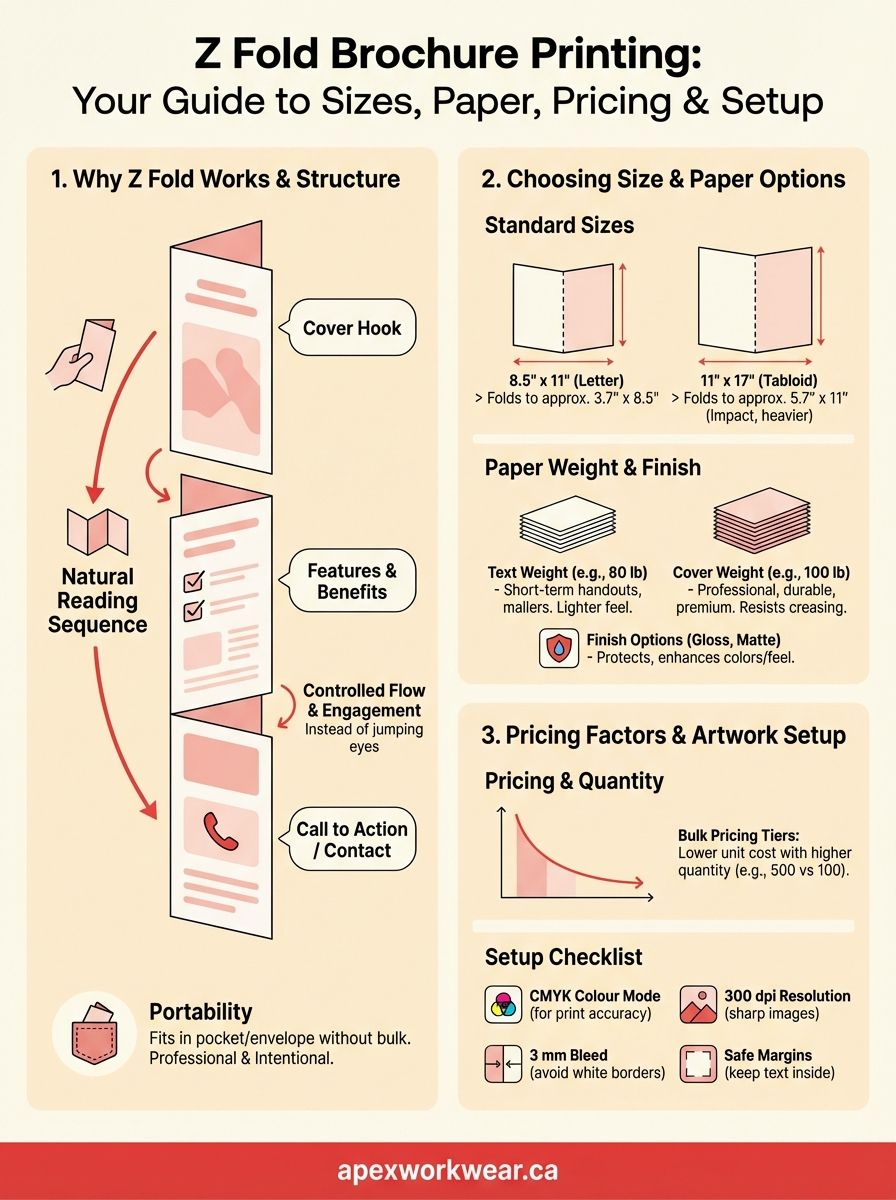
Your z fold brochure creates a natural reading sequence that pulls the reader through your message. When someone picks it up, they see your cover panel first. As they unfold, each section reveals new information in a logical order, building interest instead of overwhelming them with everything at once. This controlled flow works better than a flat flyer where the eye jumps around without direction.
Structure that guides the reader
The three-panel format gives you distinct content zones that match how people actually process information. You can use the front panel for a hook, the two inside panels for features or benefits, and the back panel for a call to action or contact details. This structure keeps your message organised and scannable, which matters when you’re competing for attention at an event or in a mail pile.
Z fold brochures let you unfold your story panel by panel, keeping the reader engaged instead of lost.
Printing companies can produce these brochures in various sizes, but the fold type stays consistent, which means your z fold brochure printing stays cost-effective even for smaller runs. You don’t need special equipment or complex binding, just clean folds that hold up to handling.
Portability meets professionalism
A folded brochure fits in a pocket, handbag, or standard envelope without extra bulk. This makes it easy to distribute at trade shows, reception desks, or direct mail campaigns. People can grab one, tuck it away, and actually read it later when they have time to focus.
The compact size also makes your materials look intentional and polished, not like an afterthought. A well-designed z fold brochure signals that you’ve put thought into your presentation, which builds trust before someone even reads the content.
How to choose the right size and fold
Your z fold brochure size affects how people handle it and where you can display it. Most printers offer standard finished sizes like 8.5" x 11" (letter), 8.5" x 14" (legal), or 11" x 17" (tabloid), each divided into three equal panels. Choosing the right dimensions depends on where you’ll distribute your brochures and how much content you need to fit.
Standard sizes that fit most campaigns
The 8.5" x 11" finished size folds down to roughly 3.7" x 8.5", making it ideal for handouts, mailers, or display racks. Each panel gives you about 2.8" wide of usable space once folded. This size works for most marketing materials because it balances portability with enough room for images and text.
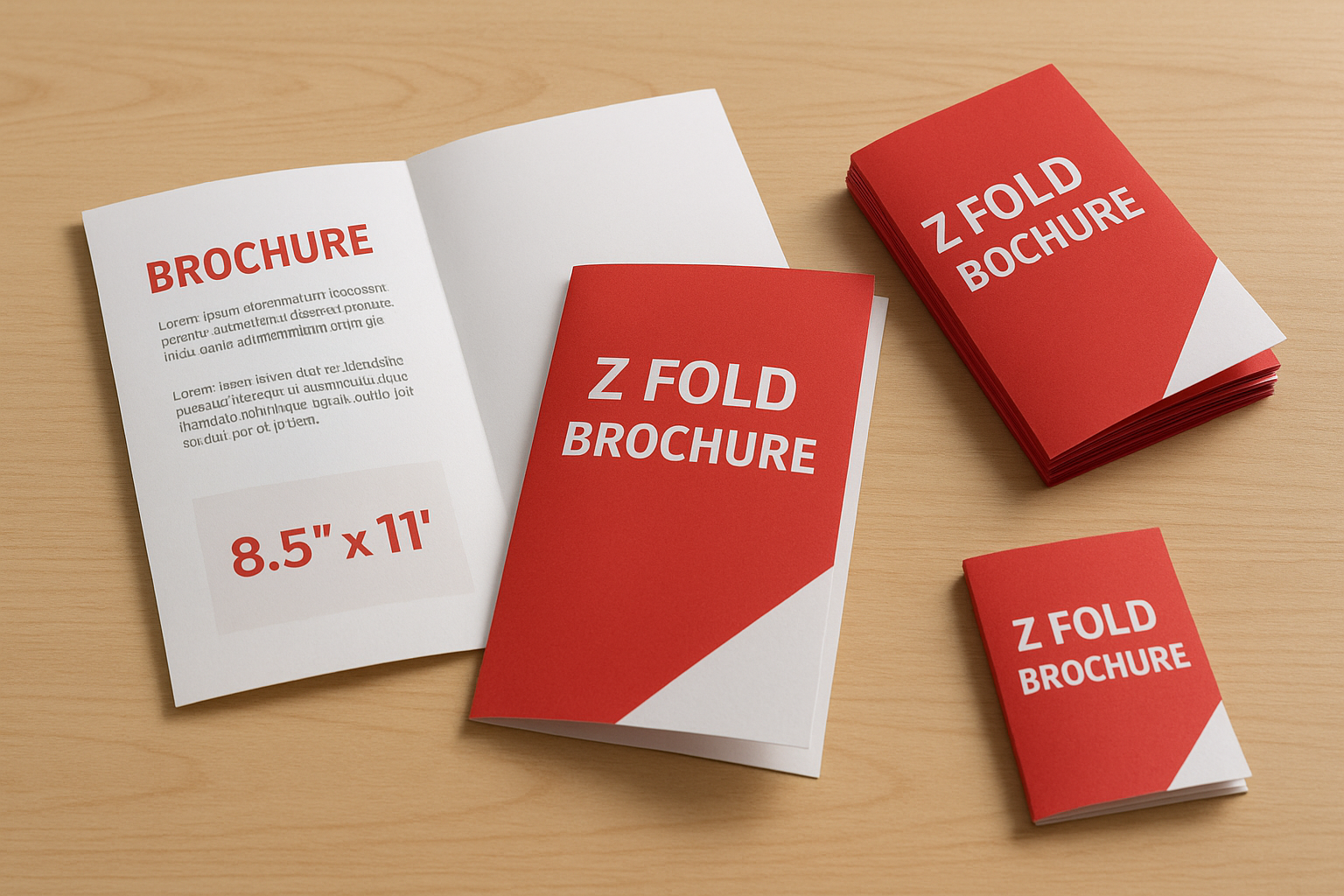
Larger formats like 11" x 17" provide more visual impact when opened but fold down to a bulkier 5.7" x 11". You’ll want this size for product catalogues or detailed service breakdowns where extra space justifies the weight.
When to adjust panel dimensions
Custom sizes make sense when you’re mailing brochures in specific envelopes or displaying them in existing racks. Most z fold brochure printing providers can trim to non-standard measurements, though this may add setup costs or extend turnaround times.
Match your brochure size to the distribution method, not just the content you want to include.
Unequal panel widths can create a unique look, but they complicate the folding process and may require manual finishing instead of automated equipment.
How to pick paper and finishes that hold up
Your paper choice directly affects how long your brochures survive in bags, pockets, and display racks. Thicker stock resists creasing and tearing better than lightweight options, while the right finish protects against fingerprints and moisture. For most z fold brochure printing projects, you’ll choose between 80 lb text and 100 lb cover stock, each suited to different distribution methods.
Paper weight that matches your use case
Text weight paper (around 80 lb) works for short-term handouts at events or single-use marketing materials. It folds easily and keeps mailing costs down, but it feels less substantial when someone picks it up. Cover weight (starting at 100 lb) gives your brochure a more professional feel and stands up to repeated handling. This heavier stock makes sense when brochures sit in waiting rooms, get passed between decision-makers, or represent premium products.
Heavier paper doesn’t just feel better, it tells customers you’ve invested in quality.
Coating options that protect your investment
Gloss coating creates a shiny, vibrant finish that makes colours pop, while matte coating reduces glare and feels softer to touch. Both options add a protective layer that resists smudging and moisture. Uncoated paper works for brochures where people need to write notes directly on panels, though it shows wear faster than coated alternatives.

How z fold brochure pricing usually works
Your z fold brochure printing cost depends on quantity, paper weight, finish, and size. Printers typically offer bulk pricing tiers, where ordering 500 brochures costs significantly less per unit than ordering 100. This happens because setup costs (plates, colour calibration, machine time) get spread across more pieces.
Quantity affects your per-unit cost
Most providers structure pricing in volume breaks like 100, 250, 500, 1,000, and 5,000 units. You’ll see the biggest price drop between the first and second tier. Ordering 250 brochures might cost only 15% more than 100, while doubling your order to 500 typically adds less than 30% to your total.
Bulk pricing makes sense when you know you’ll distribute materials over time, not just at a single event.
What else influences final pricing
Heavier paper stock and coating add to your costs because they require more material and handling. An 80 lb text brochure with no coating costs less than a 100 lb cover stock with gloss finish. Custom sizes also increase pricing since they need special trimming or setup outside standard press configurations. Turnaround time matters too. Rush orders that need production within 24 to 48 hours carry premium fees.
How to set up artwork for a clean print
Your artwork setup determines whether your brochures print with sharp text and accurate colours or end up with blurry images and misaligned panels. Most z fold brochure printing providers require specific file formats, resolution standards, and margin settings that protect your design from trimming errors or low-quality output.
File format and resolution requirements
You’ll need to submit PDF files with embedded fonts and images at 300 dpi minimum. RGB colour mode works for digital viewing, but CMYK ensures accurate print colours since printers use cyan, magenta, yellow, and black ink. Vector graphics like logos scale without losing quality, while photos need enough resolution to avoid pixelation when printed at full size.
Set up your files correctly the first time to avoid delays and costly reprints.
Bleed, margins, and fold lines
Your design needs 3 mm of bleed extending beyond the trim edge so background colours or images print to the edge without white borders. Keep all text and critical elements at least 6 mm inside the trim line to prevent accidental cropping. Mark your fold lines in a separate layer or include measurements in your file notes so the finishing team knows exactly where panels divide.
Ready to print
You now understand how paper weight, size, and finish affect your final brochures, along with the setup requirements that prevent reprints. Getting z fold brochure printing right the first time means choosing options that match your distribution method and making sure your files meet technical specifications. Your brochures represent your brand at events, in mailings, and on reception desks, so investing time in these decisions pays off.
Most printing issues come from unclear artwork or wrong paper choices for the intended use. A heavy, glossy brochure makes sense for a product launch, while lighter text weight works for single-use handouts. Your design should guide readers through each panel with clear hierarchy and enough breathing room around fold lines.
At Apex Workwear, we handle z fold brochure printing with fast turnaround times and no minimum order requirements on select products. You’ll get expert design guidance and digital proofs before we print, so you can approve everything first. All production happens here in Canada, and we offer free shipping on eligible orders in the Greater Toronto Area.