Planning a booklet, brochure, or catalogue for your business? Before you finalise your design, you need to understand the minimum pages for saddle stitch binding. This common printing method, where folded sheets are stapled along the spine, requires at least 8 pages to work properly. Get the page count wrong, and you’ll end up with a print file that simply won’t produce.
The reason comes down to basic maths and how paper folds. Saddle-stitched products are made from nested sheets, and each sheet creates four pages when folded. That’s why your total page count must always be a multiple of four, 8, 12, 16, 20, and so on. Understanding this rule early saves you from costly redesigns and production delays down the line.
At Apex Workwear, we print brochures, catalogues, and booklets for businesses across Canada, and page count questions come up constantly. This guide breaks down exactly why the 8-page minimum exists, how to plan your content around multiples of four, and what options you have if your material doesn’t fit neatly into those numbers.
What saddle stitch binding means in print production
Saddle stitch binding refers to a printing and binding method where you fold sheets of paper in half and fasten them along the centre fold with metal staples. The name comes from the saddle-shaped support printers use during production, where the folded sheets sit while a machine drives staples through the spine. This technique creates everything from thin brochures to thicker catalogues, all held together with two or three visible staples along the spine.
Saddle stitch is the most cost-effective binding method for short to medium-length publications.
The physical binding process
Your printer takes individual sheets of paper, prints both sides, then nests them inside each other before folding the entire stack in half. The stapling happens through the folded spine from the outside, securing all nested sheets together. Each full sheet creates four pages, two on the front and two on the back when folded. This is why understanding the minimum pages for saddle stitch matters so much, you can’t cheat the mathematics of how paper folds and creates finished pages.
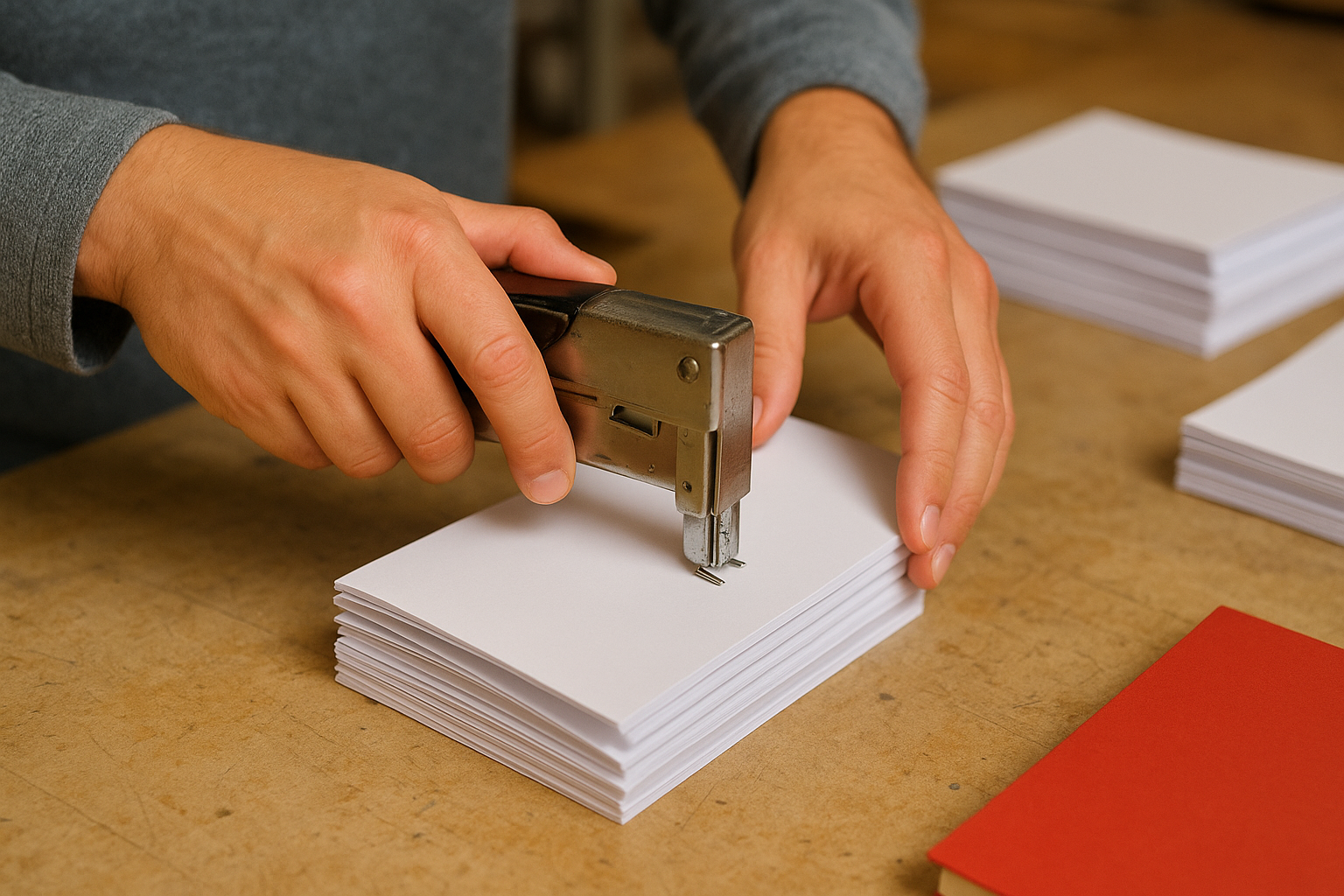
Common products that use saddle stitch
You see saddle-stitched materials every day without necessarily noticing the binding method. Magazines, newsletters, event programmes, and product catalogues all typically use this approach. Businesses choose saddle stitch for brochures, look books, training manuals, and sales materials because it’s fast to produce and keeps printing costs down. The binding works best for publications between 8 and 64 pages, though thicker booklets can split along the spine or refuse to lie flat when you open them.
Why saddle stitch needs a minimum page count
The minimum pages for saddle stitch exists because of how the binding physically works. Your printer can’t staple a single sheet through the fold because there’s nothing to hold together. When you fold one sheet in half, you create four pages, but stapling through just one thickness of paper doesn’t create a bound document. The staples need multiple layers of nested sheets to grip properly and hold your booklet together.
The structural requirement for binding
Think about stapling two pieces of paper versus stapling twenty. The staple needs enough material to penetrate and clinch on the other side. With saddle stitch, the machine drives staples through the spine from the outside, and those staples must pass through multiple nested sheets to create a secure bind. A single folded sheet gives the staples nothing substantial to grip.
The staples in saddle-stitch binding rely on multiple paper layers to create lasting hold.
You need at least two nested sheets, which creates 8 pages total, to give the binding process enough material to work with. This ensures your booklet stays together through handling, shipping, and repeated opening. Anything less simply fails the physical requirements of the binding method.
When 4 pages works and when it does not
A single sheet folded in half creates 4 pages, but this doesn’t qualify as true saddle-stitch binding. You can produce a simple folded piece with four pages, but it won’t have staples through the spine because there’s nothing substantial to bind. This distinction matters when you’re planning your print project and determining whether you actually need the minimum pages for saddle stitch or just a folded promotional piece.
When a 4-page fold works for your needs
Four pages work perfectly for single-sheet promotional materials like folded flyers, menus, or quick reference guides. Your printer folds the sheet once to create the four-page format, and you get a clean, professional look without any binding. These pieces cost less to produce because they skip the binding process entirely. You’ll see this format used for restaurant menus, event schedules, and simple product overviews where the content fits comfortably on one folded sheet.
Single-sheet folded pieces offer the lowest production cost for four-page materials.
Why 4 pages fails as saddle-stitch binding
The problem emerges when you actually need bound pages that stay together. A single folded sheet has no way to hold additional inserts, and stapling through one thickness of paper provides no structural integrity. Your project needs at least 8 pages to achieve proper saddle-stitch binding with staples that grip multiple nested sheets securely.
Why saddle stitch page counts must be multiples of four
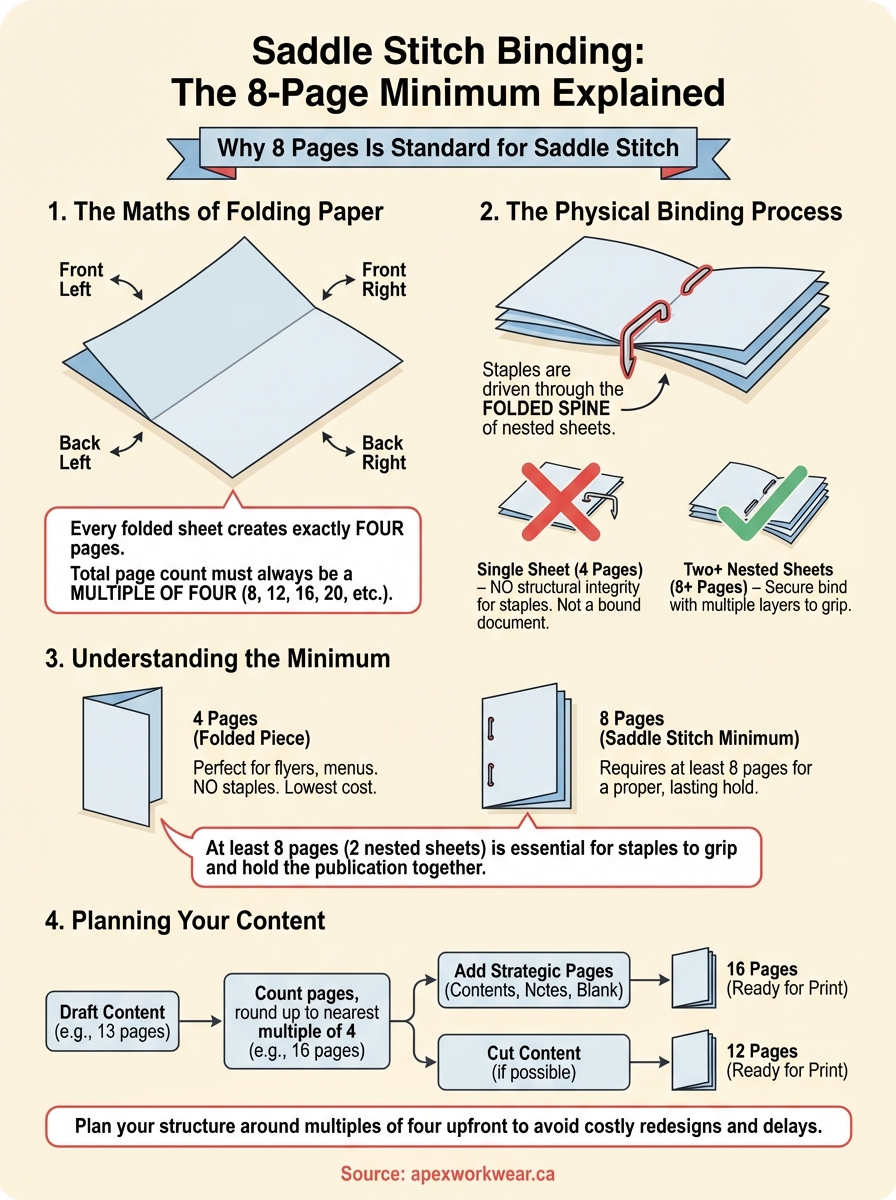
The multiple-of-four rule for saddle stitch comes from basic paper mathematics. Every single sheet you print creates four pages when folded in half: front left, front right, back left, and back right. Your printer can’t create partial pages or split a sheet in a way that produces odd numbers. This physical constraint means understanding the minimum pages for saddle stitch also means accepting that your final page count will always be 8, 12, 16, 20, or any other number divisible by four.
The folding mathematics behind page counts
Each printed sheet has two sides. When you fold that sheet down the middle, the front side creates two pages and the back side creates two more. There’s no way around this 2×2 formula. Your designer can’t magically produce a 10-page booklet or a 14-page catalogue because those numbers don’t divide evenly by four.
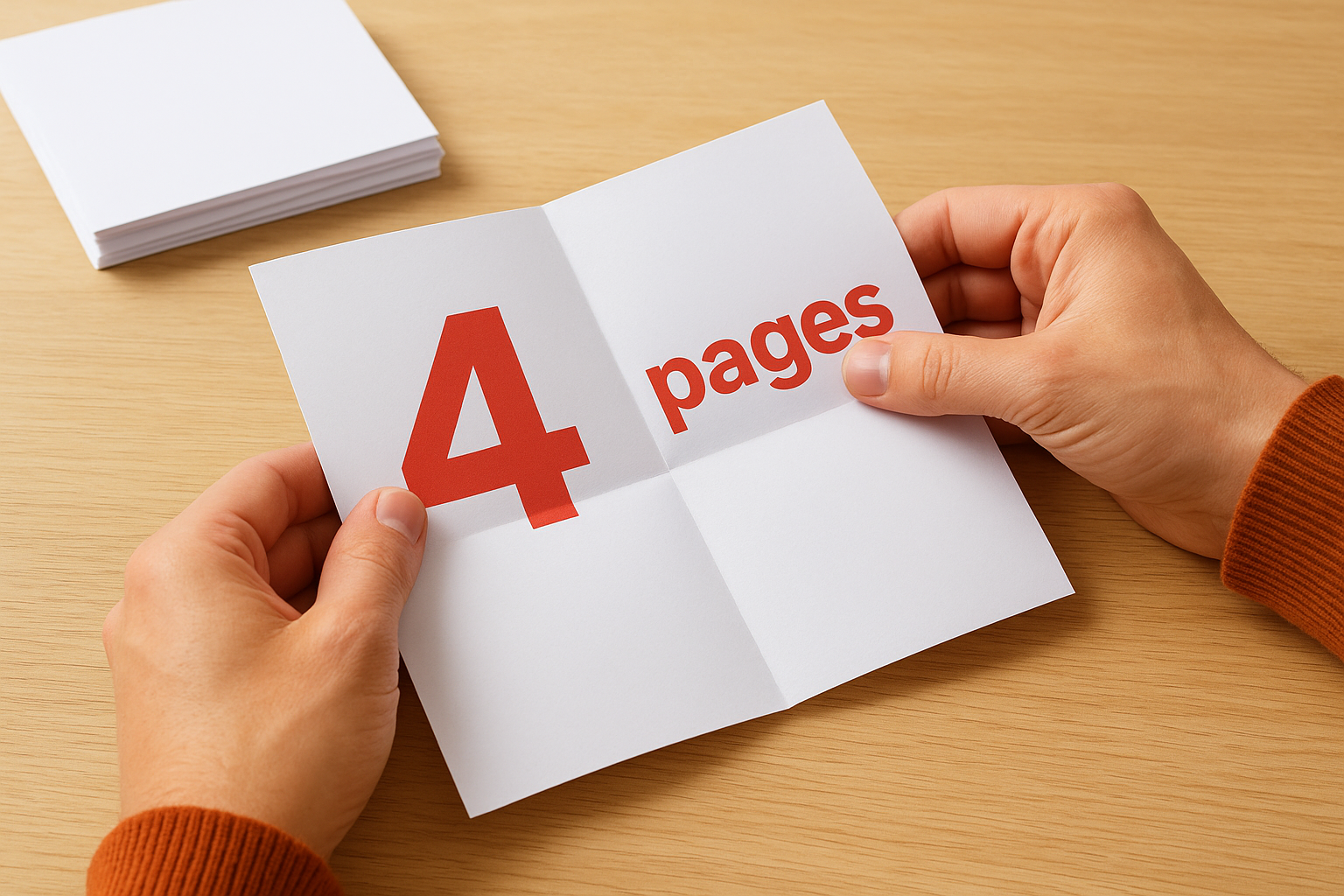
Every sheet contributes exactly four pages to your final count, no exceptions.
Planning content around the four-page requirement
You need to build your content structure knowing these constraints exist upfront. If your draft runs to 13 pages, you’ll add three blank pages or cut content to reach either 12 or 16 pages total. Smart designers leave the inside back cover or final page blank for notes, contact details, or simple white space rather than forcing awkward text cuts.
How to choose the right page count for your booklet
Choosing the right page count starts with your actual content, not arbitrary numbers. Count how many pages your text, images, and layouts genuinely need, then round up to the nearest multiple of four. This approach prevents you from stretching thin content across too many pages or cramming valuable information into insufficient space just to hit the minimum pages for saddle stitch requirement.
Starting with your actual content needs
Your content dictates the natural page count before you worry about printing constraints. Draft your complete booklet with all text, images, and design elements in place. Most design software shows your true page total as you work. Once you know your organic count, check whether it divides evenly by four. If you land on 13 pages, you’ll need to reach either 12 or 16 pages total.
Your content quality matters more than hitting a specific page count.
Adding pages strategically for balance
Strategic additions work better than arbitrary filler when you need extra pages to reach a multiple of four. Add a contents page, team bios, testimonials, or a notes section rather than stretching existing content with unnecessary white space. Smart designers place blank pages at the back for contact details or future notes, giving readers actual value instead of obvious padding.
Next steps for your booklet print
Now you understand why the minimum pages for saddle stitch is 8 pages and how the multiple-of-four rule affects your layout. Your next task involves getting your print files ready with the correct page count before you contact a printer. Check your design one final time to confirm your total pages divide evenly by four and your content flows naturally without awkward padding or forced text stretching.
Most printing delays happen when businesses submit files that don’t meet basic binding requirements. You can avoid these holdups by planning your page count from the start rather than discovering the problem after your designer finishes the complete layout. Adjust your content now to fit properly into 8, 12, 16, or 20 pages depending on what your material genuinely needs.
Ready to print your booklet? Get a free quote from Apex Workwear for your saddle-stitched brochures, catalogues, or booklets. We’ll review your files and help you get the page count right before production starts.