Direct-to-Film transfer technology has exploded in popularity over the past few years, and for good reason. It prints vibrant, full-colour designs onto a special film that you then heat-press onto nearly any fabric. But before you invest your time or money, you need to understand the real DTF printing pros and cons, not just the hype. Whether you’re launching a clothing line, outfitting a crew, or adding decorated apparel to your product mix, the details matter more than the marketing.
At Apex Workwear, we produce custom apparel daily from our Canadian facility using multiple decoration methods, including DTF. That hands-on experience has given us a clear picture of where DTF shines and where it falls short compared to alternatives like DTG and sublimation. We’re not here to sell you on one method, we’re here to help you pick the right one.
Below, we break down five major wins and five trade-offs of DTF printing in 2026. Each point draws from real production experience so you can make a confident, informed decision about whether DTF fits your goals and budget.
1. Outsourcing DTF can beat buying equipment
One of the most practical dtf printing pros and cons decisions you will face is whether to buy equipment or outsource production. Entry-level DTF printers start around $5,000 CAD, and a production-grade setup with a curing oven and heat press can run $20,000 or more. Before you spend anything, it is worth understanding what outsourcing actually gives you.
What it solves for cost, risk, and capacity
Outsourcing removes the capital expense of equipment, ink, film, and powder, along with the ongoing maintenance costs. You pay per transfer and scale up or down based on demand. Production suppliers handle dozens of jobs daily, which means you access consistent quality that would take months to replicate on a new in-house setup.
What you trade off in control, turnaround, and iteration speed
When you outsource, you hand over direct control of the print process. If a colour lands slightly off or a transfer does not adhere correctly, you depend on your supplier to fix it. Standard turnaround times with most suppliers stretch from two to five business days, which slows same-day or next-day fulfilment if your customers expect rapid delivery.
If your business model depends on quick iteration or frequent one-off orders, outsourcing adds a lag that an in-house press eliminates entirely.
When outsourcing makes more sense than an in-house setup
Outsourcing fits best when your order volume is irregular or when you want to test DTF demand before committing to equipment. It also suits businesses already running other services, like embroidery or screen printing, that want to add DTF without expanding their physical footprint or hiring new staff.
Questions to ask a supplier before you commit
Before you place your first order, get clear answers on these points:
- What is the minimum transfer size, and how do you price small runs?
- What file formats and colour profiles do you require?
- How do you handle reprints when colour consistency is off between batches?
2. DTF prints on more fabrics than DTG and sublimation
One of the strongest dtf printing pros and cons arguments in DTF’s favour is its fabric compatibility. Unlike DTG, which works best on 100% cotton, or sublimation, which needs polyester-rich fabrics, DTF transfers bond to almost any material through a heat-activated adhesive layer.
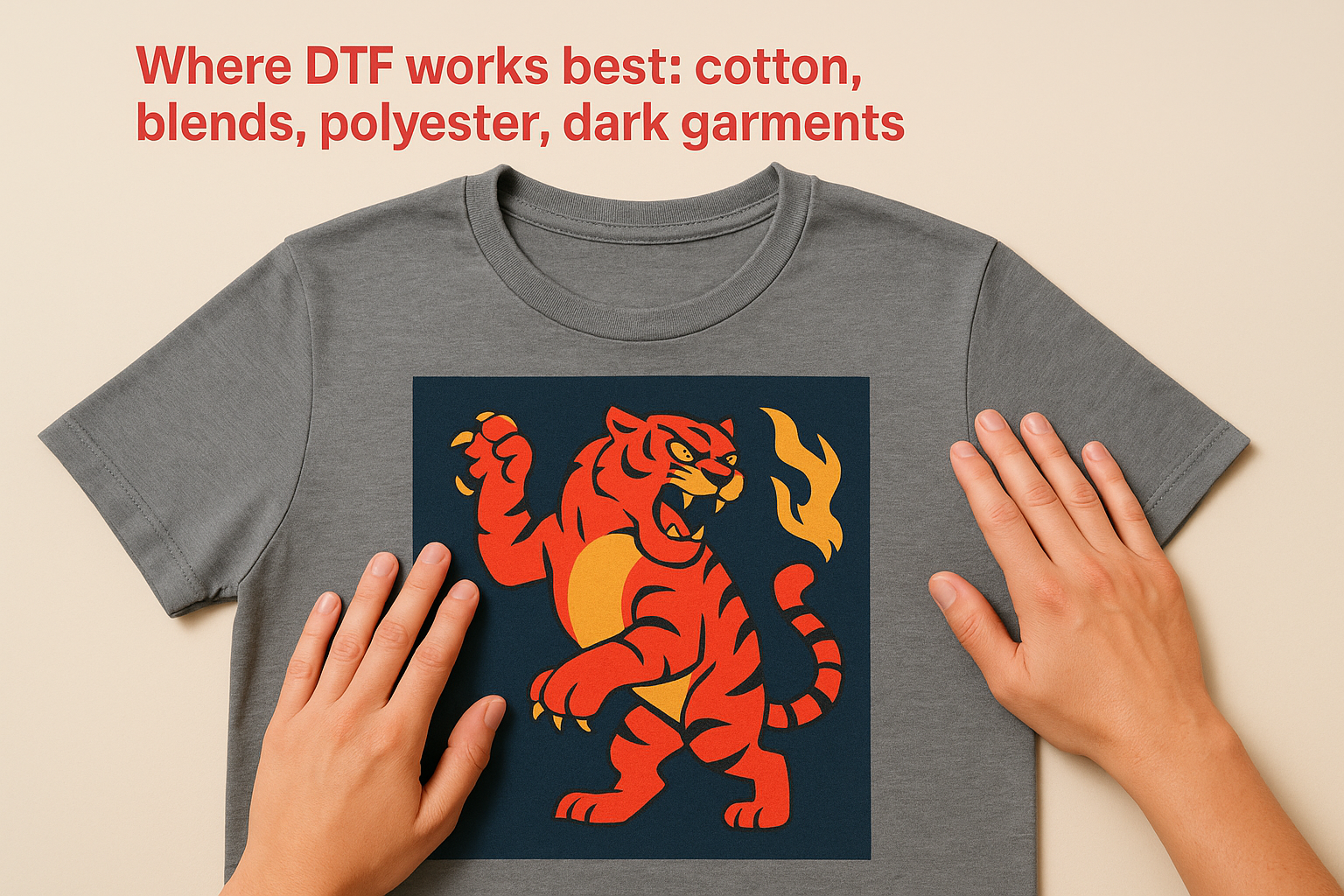
Where DTF works best: cotton, blends, polyester, dark garments
DTF performs reliably on cotton, polyester, and cotton-polyester blends, including dark garments where DTG struggles without a white underbase. The adhesive layer acts as a barrier, so fabric colour does not affect your design’s vibrancy the way it does with other methods.
Where it gets tricky: nylon, waterproof coatings, heat-sensitive items
Nylon and waterproof-coated fabrics resist adhesion because the surface repels heat transfer. Athletic wear with heat-sensitive fibres can warp or scorch at the 160-180°C press temperatures DTF requires, so always check the fabric spec before pressing.
Test a sample garment before committing to a full production run on any unfamiliar fabric type.
How it compares to DTG, sublimation, and vinyl on fabric range
| Method | Best Fabric | Dark Fabrics |
|---|---|---|
| DTG | 100% cotton | Needs underbase |
| Sublimation | High polyester | Poor results |
| Vinyl | Most fabrics | Limited colour |
| DTF | Most fabrics | Works well |
Common adhesion failures and how to prevent them
Most adhesion failures trace back to incorrect press pressure or residual moisture. Pre-pressing your garment for five seconds before applying the transfer removes moisture and gives you a flat, consistent bonding surface that prevents peeling after the first wash.
3. DTF handles full colour and fine detail well
When evaluating dtf printing pros and cons, print quality is where DTF often surprises people. The technology uses a CMYK+white ink system that reproduces detailed artwork with an accuracy that screen printing and vinyl simply cannot match at small order quantities.
What DTF does well: photos, gradients, small text, multicolour logos
DTF handles photographic images and smooth colour gradients without banding or colour breaks. You can print small text down to 6-point size and complex multicolour logos without separate screens or setups, which makes it ideal for detailed brand artwork.
Why colours can shift from your screen to the final print
Your monitor displays colours in RGB colour mode, but DTF printers output in CMYK. That gap causes saturated blues and vibrant reds to appear duller on fabric than they look on screen.
Convert your files to CMYK before sending them to production to reduce colour surprises.
File setup that prevents surprises: resolution, colour profile, transparency
Submit your artwork at 300 DPI minimum and use a CMYK colour profile. Keep transparent backgrounds on your files rather than white fills so the printer handles white ink placement correctly.
How to judge transfer quality before you press it
Hold your printed transfer up to a light source. Sharp edges and solid ink coverage across fine lines indicate a quality print. Patchy or uneven ink in gradient areas signals a printer calibration issue you should flag before pressing the full order.
4. DTF speeds up production, but the workflow has more moving parts
When you weigh the dtf printing pros and cons around speed, DTF wins on setup time but adds steps that most people underestimate before they get started.
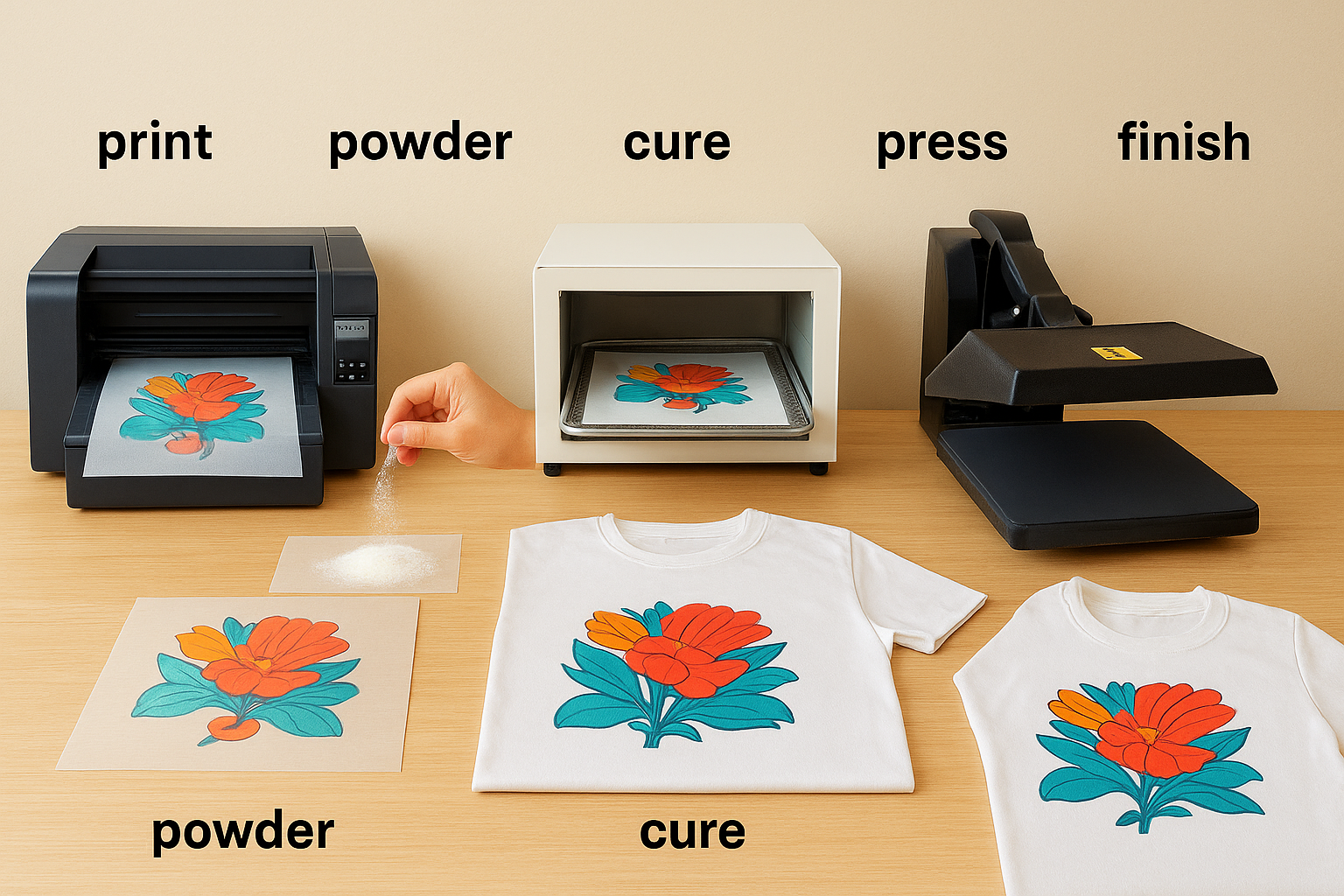
The real workflow: print, powder, cure, press, peel, finish
Every DTF transfer moves through six distinct stages: print the design onto film, apply hot-melt adhesive powder, cure the powder in an oven, heat-press the transfer onto the garment, peel the film, and finish with a second press to set the bond. Each step adds time, and a mistake at any point means starting over.
What you save versus DTG and screen printing in setup time
Unlike screen printing, DTF requires no screen preparation or registration setup, so you can move from file to finished garment in under 30 minutes. You also skip the pre-treatment step that DTG requires on cotton, which saves several minutes per garment at scale.
The time savings are real, but only if your equipment is calibrated and your workflow is rehearsed.
The problems shops run into: banding, misregistration, powder issues
Banding and powder clumping are the two most common quality failures. Excess powder left on the film before curing creates visible texture spots on the finished print.
Maintenance, ventilation, and space planning you cannot skip
Your curing oven produces fine adhesive powder particles that require dedicated ventilation. Plan for at least 15 square metres of workspace to run a clean, safe DTF setup.
5. DTF lasts, but it can feel less breathable
Durability is one of the stronger entries in the dtf printing pros and cons column. DTF transfers hold up well across repeated washes when applied correctly, but the adhesive layer adds a physical presence on the fabric that both you and your customers will notice.
Durability expectations: stretch, wash life, cracking, and peeling
A well-pressed DTF transfer resists cracking and peeling for 40 to 50 wash cycles when laundered in cold water on a gentle cycle. Stretchy fabrics like spandex blends put more stress on the adhesive bond, so expect reduced wash life on high-stretch garments compared to stable woven fabrics.
Hand feel and breathability: what customers notice first
The polyurethane adhesive film sits on top of the fabric fibres rather than bonding into them, which creates a slightly raised, plasticky feel in large print areas. Customers wearing printed activewear will notice reduced airflow across the chest or back where the transfer sits.
If breathability matters to your end user, keep large print areas off high-contact zones like underarms and the centre back.
Heat and aftercare risks: ironing, tumble drying, and pressing over seams
Direct ironing over a DTF transfer melts the adhesive, so customers need to iron inside out or avoid the print area entirely. Tumble drying on high heat causes premature peeling, particularly on blends.
Is DTF better than sublimation for your use case
Sublimation bonds dye directly into polyester fibres, which means zero hand feel impact and better breathability on sportswear. DTF wins on fabric versatility and dark garment performance, making it the better choice when you work across multiple fabric types rather than a single polyester base.
Quick recap
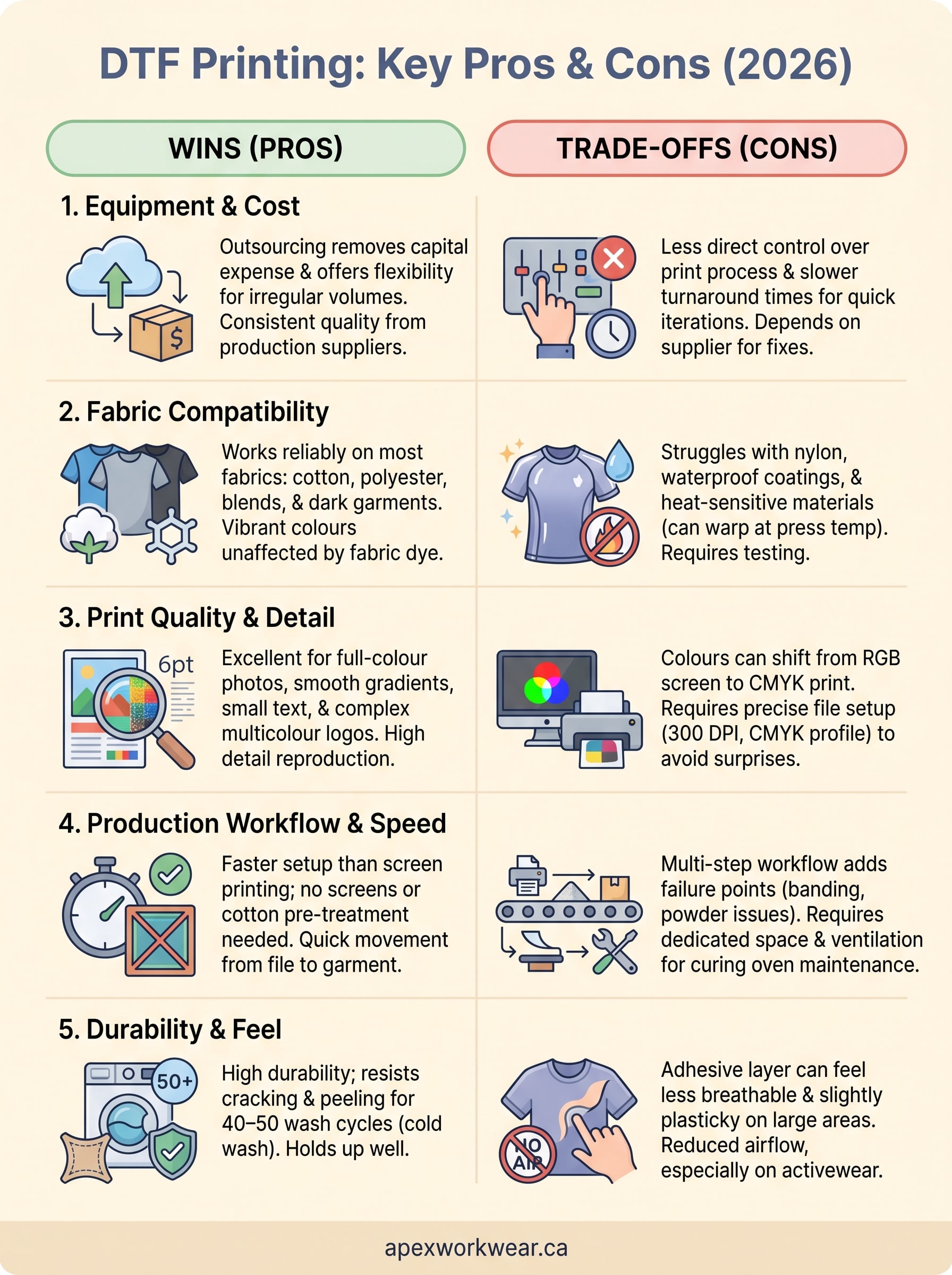
The full picture of dtf printing pros and cons comes down to five practical realities. Outsourcing beats buying equipment when your volumes are unpredictable. DTF works across more fabric types than DTG or sublimation, but nylon and heat-sensitive materials still cause problems. Full-colour detail reproduction is a genuine strength, provided you submit files in CMYK at 300 DPI. The production workflow moves faster than screen printing on setup, but each of the six steps creates a new failure point. Finally, durability holds up across 40 to 50 wash cycles, though the hand feel and breathability trade-off is real on large print areas.
Your choice of decoration method should match your fabric range, order volumes, and customer expectations, not just what sounds good on a spec sheet. If you want expert guidance on custom apparel without the guesswork, get a free quote from Apex Workwear and find the right fit for your next project.