Whether you need product labels, shipping stickers, or branded packaging seals, Staples Canada label printing is one of the first places most people check. Staples offers both DIY label supplies and professional print services, making it a convenient one-stop option for businesses and individuals across the country.
But before you place an order, it helps to understand exactly what Staples offers, what it costs, and where the limitations are. Not every label job is a good fit for their services, and for custom or bulk orders, you may find that a dedicated print provider delivers better results at a lower price point. That’s something we see regularly at Apex Workwear, where we produce custom labels and stickers with no minimum order requirements and free shipping across the GTA.
This guide breaks down Staples Canada’s label printing prices, product options, and step-by-step instructions so you can decide which route actually makes sense for your project.
What Staples Canada offers for label printing
Staples Canada label printing falls into two distinct categories: buying supplies to print your own labels and using their in-store or online print services to have labels produced for you. Knowing which option fits your project saves time and helps you avoid overspending on the wrong solution.
DIY label supplies in-store and online
Staples stocks a wide range of blank label sheets designed for home and office inkjet or laser printers. You’ll find standard formats like Avery-compatible address labels, shipping labels, round stickers, and full-sheet labels in various sizes. These work with most desktop printers and are a practical choice if you only need a small batch or want full control over your layout.
If you already own a reliable office printer, buying blank label sheets from Staples and printing in-house is often the fastest route for simple jobs like return address labels or internal file tags.
For larger or more complex label runs, this approach has limits. Home printers rarely match the colour accuracy or durability that branded product labels or outdoor stickers require.
Staples Copy & Print services
Staples’ Copy & Print department handles custom label orders through their in-store print centre and their online print portal. You can upload a design file, select a substrate, and have labels produced at the location nearest to you. Their standard offering includes paper labels and basic sticker sheets, with options for gloss or matte finishes depending on the product.
Turnaround times vary by location and order size, but most straightforward jobs are ready within one to three business days. For complex shapes, specialty materials like vinyl, or bulk quantities, availability differs across stores, so confirming with your local branch before committing to a deadline is worth doing.
How pricing works and what to budget
Pricing for Staples Canada label printing splits into two models: buying blank label stock to print yourself, or using their Copy & Print service for a finished product. Knowing the cost difference between both options helps you budget accurately before placing an order.
DIY label sheet costs
Blank label sheets at Staples typically run $15 to $35 per pack, depending on brand, sheet count, and size. Here is a rough breakdown of what you can expect:
- Avery address labels (30 per sheet, 100 sheets): ~$25 to $30
- Shipping labels (10 per sheet, 100 sheets): ~$20 to $28
- Round sticker sheets (pack of 50): ~$15 to $20
Factor in your ink costs and printer wear on top of the sheet price, especially for colour-heavy designs.
Copy & Print service pricing
Custom label jobs through the print centre are priced per sheet or per unit, with the final cost driven by finish, paper type, and quantity. Standard runs fall in the $1 to $3 per sheet range for basic paper labels.
For orders under 50 sheets, dedicated label printers often beat Staples’ per-unit price by a notable margin.
Step 1. Choose your label type and format
Before you place any order through Staples Canada label printing, pin down exactly what format your labels need to follow. The format determines the sheet size you buy, the template you design around, and whether in-store printing or a DIY approach makes more sense for your project.
Standard sheet formats
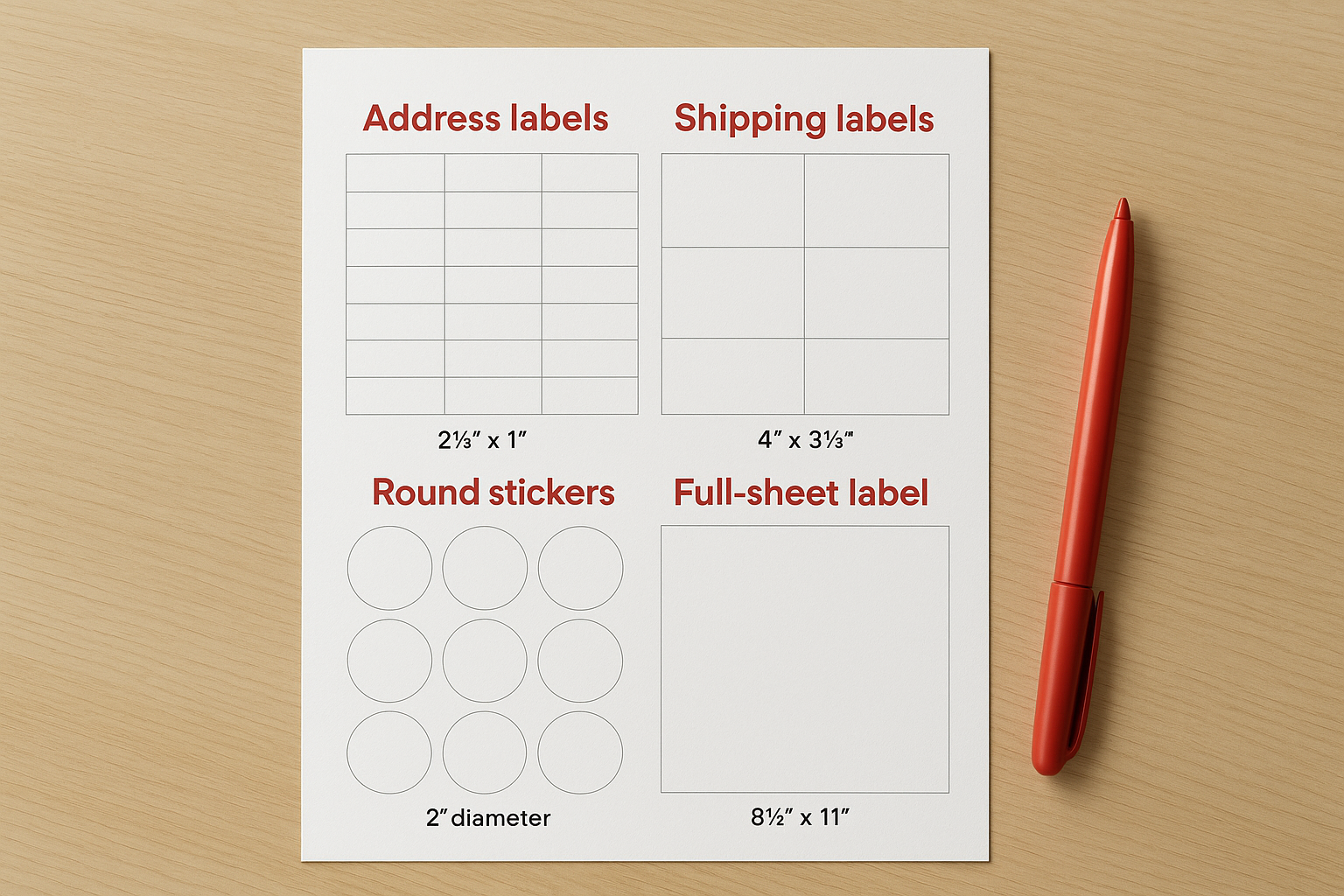
Standard label formats at Staples follow Avery sizing conventions, which makes finding compatible design templates straightforward. The most common sizes you will encounter are listed below:
| Label type | Approximate size | Labels per sheet |
|---|---|---|
| Address labels | 2⅝" × 1" | 30 |
| Shipping labels | 4" × 3⅓" | 6 |
| Round stickers | 2" diameter | 12 |
| Full-sheet label | 8½" × 11" | 1 |
Matching your design file to an Avery template number before printing prevents alignment issues that can waste an entire pack.
Specialty formats and materials
If your project calls for custom die-cut shapes, waterproof vinyl, or outdoor-rated materials, standard sheet stock will not cover your needs. These formats require specialist production equipment that goes beyond what most in-store print centres carry. For those jobs, working with a dedicated label printer ensures you get the right substrate and finish from the start.
Step 2. Prep your design and mailing list
Before you send anything to print, having your design file and mailing list formatted correctly saves you from costly reprints. Most issues with Staples Canada label printing come down to mismatched file formats or address data that does not align with the label template you chose in Step 1.
Format your design file
Your design file should be saved as a PDF or high-resolution PNG at a minimum of 300 DPI. Use the Avery template number that matches your chosen label size and build your layout inside that template to ensure your text and artwork land within the printable area without bleeding into cut lines.
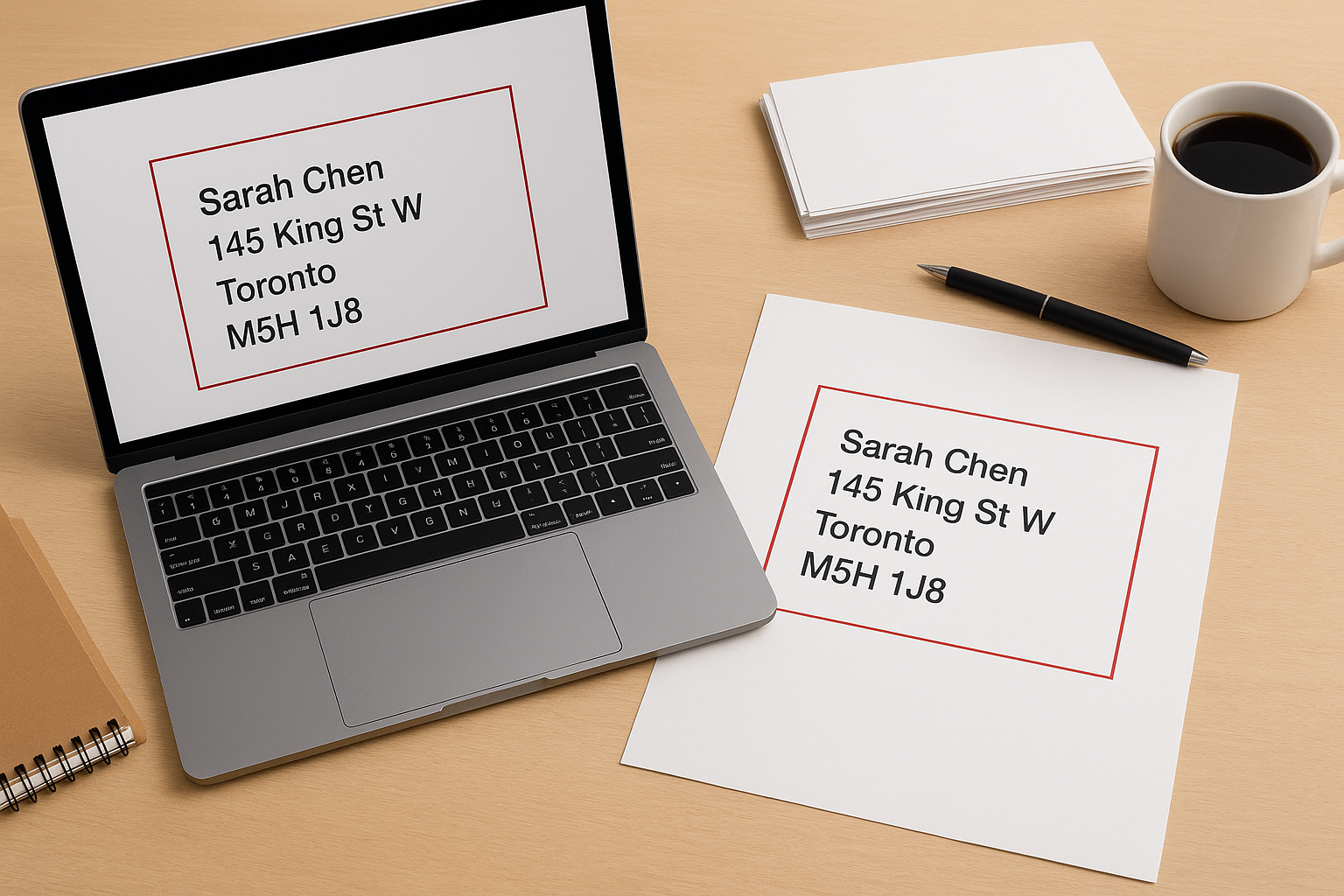
Download free label templates directly from Avery’s website to get accurate bleed and margin guides for your specific sheet size.
Set up your mailing list
If you are printing address or shipping labels, organise your mailing list in a spreadsheet with separate columns for each data point. This structure makes mail merge in Microsoft Word straightforward, and it maps cleanly onto most standard label sheet templates.
| Column | Example |
|---|---|
| First name | Sarah |
| Last name | Chen |
| Street address | 145 King St W |
| City | Toronto |
| Province | ON |
| Postal code | M5H 1J8 |
Step 3. Print at Staples or use PrintMe in-store
Once your design file and mailing list are ready, you have two practical options for producing your labels at Staples: submitting your job to the Copy & Print counter or using a PrintMe kiosk for a quick self-serve run. Each method suits different order sizes and timelines.
Printing through the Copy & Print counter
Bring your PDF or PNG file on a USB drive or upload it through the Staples online print portal before you arrive. An associate reviews your file and confirms the label sheet type you need. For most standard jobs, same-day or next-day pickup is available, but call your local branch to confirm capacity during busy periods.
For orders above 20 sheets, the Copy & Print counter gives you better quality control than a self-serve kiosk.
Using PrintMe kiosks for quick self-service
PrintMe kiosks are available at most Staples locations and let you print directly from your phone, email, or USB drive without waiting for staff. This option suits small, time-sensitive runs of staples canada label printing jobs where a standard paper label is sufficient. Upload your file at printme.com, retrieve your print code, and walk up to any kiosk to release the job within 24 hours.
Quick wrap-up
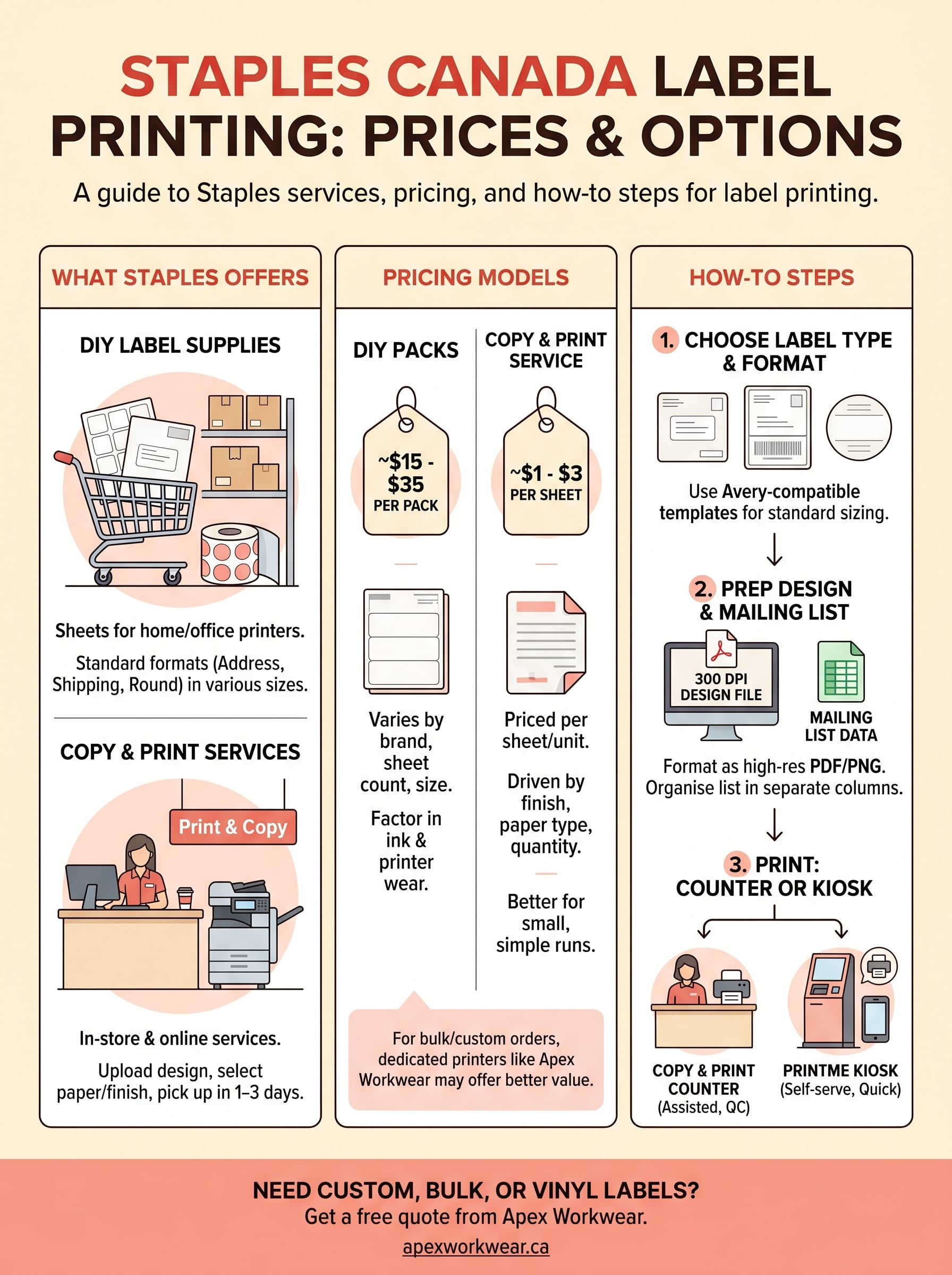
Staples Canada label printing gives you a workable path for standard address labels, shipping labels, and basic sticker sheets. If your project fits within their standard Avery-compatible formats, the Copy & Print counter and PrintMe kiosks cover most everyday needs. The key steps are choosing the right format, prepping a clean 300 DPI design file, organising your mailing list into a structured spreadsheet, and confirming turnaround times with your local branch before committing to a deadline.
Where Staples falls short is on custom shapes, vinyl materials, bulk quantities, and branded product labels that demand precision and durability. For those jobs, you need a dedicated print partner. Apex Workwear produces custom labels and stickers with no minimum order, free GTA shipping, and design support built in. If your project has outgrown what a copy centre can handle, get a free quote from Apex Workwear and have your labels produced right the first time.